Accounts Receivable Automation: Step-by-Step Guide for B2B Teams
83% of B2B teams still chase invoices manually. This guide covers what to automate first, which tools to use, and the mistakes most finance teams make.
RevExOS
Q2C Consulting
You've asked ChatGPT how to automate accounts receivable. You've Googled it. You've read the vendor comparison posts.
And yet your finance team is still spending Monday mornings chasing last Friday's payments.
This guide is different. It's not a feature list. It's a working model for how AR automation actually gets built - what to automate first, what tools fit where, and what most teams get wrong.
Why Most AR Is Still Manual (And Why That's Expensive)
Before we get to the how, here's the uncomfortable truth:
83% of firms haven't fully automated AR.
Not because the technology doesn't exist. Because AR automation is harder than it looks. It touches invoicing software, payment gateways, CRM, email, accounting systems, and sometimes ERP - and most tools only solve one part of that chain.
The cost of doing nothing is real:
- AR teams spend 40–60% of their time on manual cash application - matching payments to invoices
- Finance teams spend 3–10 hours per month manually chasing overdue invoices
- Every day of delay in collections on a $2M/month business costs roughly $67,000 in trapped working capital
AR automation isn't about replacing your finance team. It's about removing the work that shouldn't require a human at all.
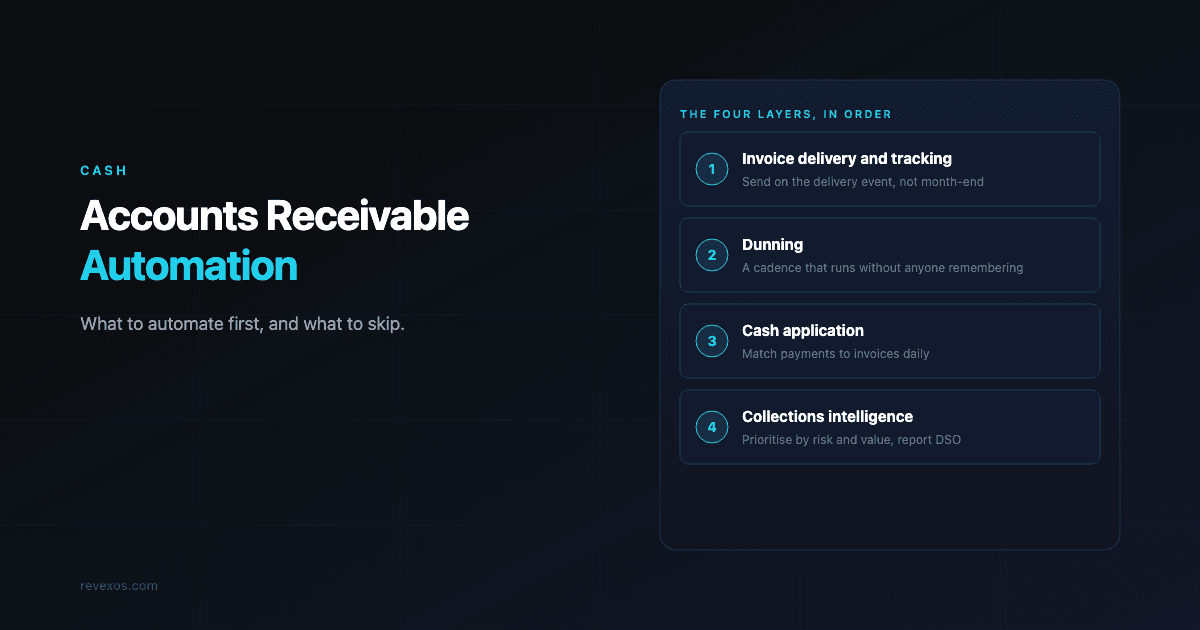
The Four Layers of AR Automation
Think of AR automation as four distinct problems, each requiring a different approach:
Layer 1: Invoice Delivery and Tracking
The moment a service is delivered or a product ships, an invoice should go out. Not at the end of the month. Not when someone remembers.
What to automate here:
- Invoice generation triggered by CRM deal close, contract signature, or delivery event
- Automatic delivery via email (or customer portal if you have one)
- Read-receipt tracking so you know the invoice landed
Tools that fit: Stripe, Xero, QuickBooks, or a custom invoicing engine built on top of your CRM data
Common failure point: Invoices created manually at month-end, often with errors or missing PO numbers that cause disputes downstream. If you run an agency or consulting firm, PO mismatches are the single most common AR failure point and the root cause of most DSO creep.
Layer 2: Dunning - Systematic Follow-Up
Dunning is the process of following up on unpaid invoices. Most businesses either don't do it at all, or do it reactively when cash gets tight.
A proper dunning sequence looks like this:
| Day | Action |
|---|---|
| Invoice sent | Confirmation + copy of invoice |
| Day -3 (before due) | Friendly payment reminder |
| Day 0 (due date) | Payment due reminder |
| Day +7 | First overdue notice (polite) |
| Day +14 | Second overdue notice (firm) |
| Day +30 | Escalation to account manager or collections |
What to automate here:
- All of the above sequence, triggered by invoice status
- Personalisation by account size and relationship history (a $200K client should not get the same email as a $500 one)
- Escalation routing to human when needed
Not automating this yet? Use the free AR Collections Email Generator to write a stage-appropriate follow-up for a single overdue invoice in seconds.
That "escalation routing to human when needed" line is easy to write down and hard to actually automate, since it means classifying a customer's reply before anyone acts on it: is this a real dispute, a payment promise, or just an acknowledgment. The Jev API Playground lets you paste a real reply in and get back a typed classification with a confidence score instead of a paragraph you'd have to interpret yourself.
Tools that fit: n8n, Make, or Zapier workflows triggered by unpaid invoice status in your accounting system (see what each one handles well, and where it breaks, on our n8n and Zapier pages, or browse every platform we work with)
What most teams miss: Static templates. A dunning sequence that doesn't adapt to customer behaviour - late payer, first-time miss, long-term loyal account - will damage relationships at the top end and underperform at the bottom.
Layer 3: Cash Application
This is the biggest time sink in AR, and the least visible to anyone outside finance.
When a payment arrives, someone has to figure out which invoice(s) it belongs to. Customers pay partial amounts. They combine three invoices into one transfer. They reference an outdated PO number. They don't reference anything.
Manual cash application is why your AR team looks busy even when collections are "on track."
What to automate here:
- Matching incoming payments to open invoices by amount, date, reference number, and customer history
- Auto-closing matched invoices
- Surfacing exceptions - partial payments, unidentified payments, overpayments - for human review
Tools that fit: This requires code-level logic and access to your bank transaction data, accounting API, and invoice records. Zapier can't do this reliably. It needs a proper backend - Python, Node, or a specialist AR platform. For a deeper comparison of off-the-shelf tools vs. custom infrastructure, see AR automation software vs. service vs. custom infrastructure.
What good looks like: 85–90% of payments matched automatically. Your team reviews the 10–15% that are genuinely ambiguous.
Layer 4: Collections Intelligence and Reporting
Once the tactical automation is running, the strategic layer matters.
What to automate here:
- Live AR aging dashboard - who owes what, how old, risk-weighted
- Customer credit risk scoring based on payment history
- Cash flow forecasting based on expected collection dates
- Automatic escalation flags for accounts moving into a risk tier
Tools that fit: Airtable, Supabase, or a data warehouse connected to a BI tool (Metabase, Retool, or a custom dashboard)
Why this matters: When your CFO can see the full picture in five minutes - rather than waiting for a finance team member to build a report - decisions improve. You know which accounts need attention before they miss a payment, not after.
What to Automate First
If you're starting from scratch, here's the priority order:
- Invoice delivery - fastest to implement, immediate impact on payment timing
- Dunning sequences - high leverage, can be built in a week, often recovers 10–15% of overdue AR in the first month
- Cash application - harder to build, but frees the most time
- Reporting and intelligence - last, because it requires clean data from the first three layers
Don't try to do all four at once. AR automation built too fast becomes AR automation that breaks in production.
The Stack That Actually Works
For B2B businesses running on Stripe, HubSpot/Salesforce, and QuickBooks or Xero (the most common stack we see), the native HubSpot to QuickBooks integration has significant gaps - here is what a proper invoice automation setup looks like:
- Invoice trigger: CRM deal close → Stripe invoice generated → delivered via email
- Dunning: n8n or Make workflow listening to Stripe
invoice.payment_failedor aging webhooks - Cash application: Custom backend matching Stripe payment events to open AR ledger
- Reporting: Airtable or Supabase with a live dashboard synced to invoice and payment data
For businesses on more complex billing models - usage-based, subscription tiers, professional services with milestones - the stack needs to be designed around the billing logic first, automation second.
What AR Automation Is Not
It's not a SaaS tool you plug in and forget.
The most common mistake we see: buying a point solution (Gaviti, Invoiced, Chaser) that automates email follow-ups but doesn't connect to the actual systems of record. The tool fires emails. The payments don't flow back into the accounting system correctly. The AR aging report is still wrong.
Real AR automation means every layer of the process - invoice creation, delivery, follow-up, payment matching, reconciliation - is connected and accurate. Not just the visible communication layer.
The Result When It's Done Right
When all four layers are automated and integrated:
- DSO drops by 20–40% - invoices go out faster, reminders fire on time, payments come in sooner
- Finance team time on AR admin drops by 60–80% - cash application and dunning run without manual input
- Bad debt shrinks - because problems are flagged before they compound, not after
- Cash flow becomes predictable - because you know, with reasonable confidence, when each open invoice will close
AR automation isn't about being efficient. It's about having a business that runs on systems instead of spreadsheets.
If you'd rather see this built than build it yourself, RevExOS's AR automation service covers all four layers above on top of your existing QuickBooks, Xero, or FreshBooks setup - no migration required.
To start building, pick one step from the list above and follow its guide on the collections stage page, or grab the free AR Prompt Playbook to run the first version in Claude today. Stuck on a step? Ask me.
Frequently Asked Questions
- What are the four layers of AR automation?
- Invoice delivery and tracking, dunning (systematic follow-up), cash application, and collections intelligence and reporting. Each requires a different tool and approach, and most teams should automate them in that order.
- What should a business automate first in accounts receivable?
- Invoice delivery, since it's the fastest to implement and has immediate impact on payment timing. Dunning sequences come next - they can be built in about a week and often recover 10-15% of overdue AR in the first month.
- How much does manual AR cost a mid-size B2B business?
- AR teams spend 40-60% of their time on manual cash application alone, and finance teams spend 3-10 hours per month manually chasing overdue invoices. On a $2M/month business, every day of delay in collections costs roughly $67,000 in trapped working capital.
- Can accounts receivable be automated without switching accounting systems?
- Yes. AR automation runs as a layer on top of your existing accounting system - QuickBooks, Xero, or FreshBooks - triggered by CRM or delivery events and connected with tools like n8n, Make, Zapier, or a dedicated AR platform.
 QuickBooks Online
 Xero
Xero Stripe