How to Automate Accounts Receivable Without Leaving QuickBooks or Xero.
The five AR workflows that eat the most time, what automating each one looks like, and the free tools to start with.
of agencies get paid late
avg annual cost of late payments
per week chasing invoices
overdue reduction in 90 days
The 5 AR Workflows Worth Automating
Each one is manual. Each one is automatable. All five cost real money.
The Pain
- ✗40–60% of AR time spent on manual matching
- ✗Short pays & partial payments break every spreadsheet
- ✗No audit trail - disputes resurface weeks later
The Fix
- ✓Auto-matches payments by amount, date & reference
- ✓Handles partial, short & combined pays automatically
- ✓Full audit trail in QB/Xero - DSO updates in real time
The Pain
- ✗84% spend 3–10 hrs/month chasing overdue invoices
- ✗$500 invoice gets same attention as $50,000 one
- ✗Too aggressive upsets clients; too passive costs cash
The Fix
- ✓Smart dunning at Day 1, 7, 14, 30 - auto-escalates
- ✓Priority queue: ranks by amount × days overdue
- ✓Tone shifts polite → firm → formal demand automatically
The Pain
- ✗20–40 min per dispute just gathering context
- ✗No audit trail - tracked in sticky notes & spreadsheets
- ✗Disputes sit open for weeks; payments withheld
The Fix
- ✓AI detects disputes the moment email arrives
- ✓Pulls invoice, PO, SOW & email thread in one view
- ✓One-click: Accept · Reject · Request info
The Pain
- ✗Terms extended on gut feel, not data
- ✗First warning is a 60-day invoice going unpaid
- ✗$50K–$100K bad debt losses are common
The Fix
- ✓Each client scored on payment history & trend
- ✓Early warning flags before they miss a payment
- ✓Risk dashboard - CFO reviews in 5 minutes
The Pain
- ✗Pulling the aging report takes 30 minutes
- ✗DSO never calculated, never benchmarked
- ✗Board reporting = rebuilding Excel every month
The Fix
- ✓Live AR dashboard - aging, DSO, overdue by client
- ✓13-week cash flow forecast, auto-ingested
- ✓One-click board-ready PDF, emailed on schedule
What Happens When You Automate AR
Report automation reduced payment delays
Saw a reduction in delinquency
Increasing AR automation investment
Annual benefit expected by 56% of orgs
Source: Versapay / Wakefield 2026 Cash Flow Clarity Report
B2B Service Businesses That Invoice Clients
Marketing Agencies
40-65 days DSOFloating client media spend 60+ days. Scope creep delays billing.
IT Consulting
45-70 days DSOComplex SOWs, milestone gaps, contractor bills due now.
Management Consulting
50-80 days DSOSix-figure invoices stuck in enterprise approval chains.
Staffing Agencies
45-75 days DSOPayroll weekly, receivables lag 45-75 days behind.
Legal Services
52+ days DSOMixed billing models create invoicing complexity.
Accounting & CPA
35-55 days DSOSeasonal revenue spikes, collections lag months.
AR Automations I've Built
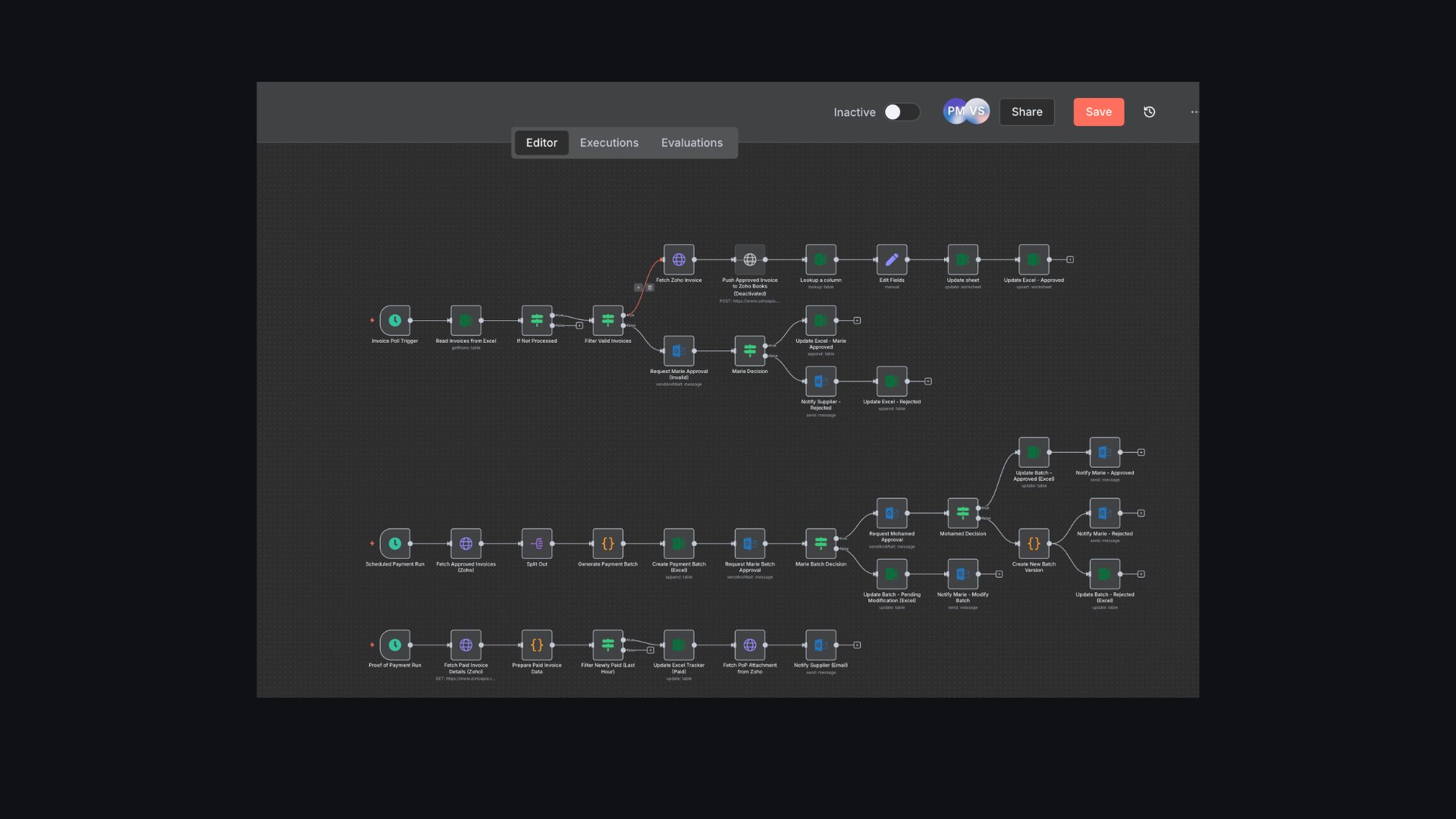
Invoice Generation & Payment Reconciliation (Zoho)
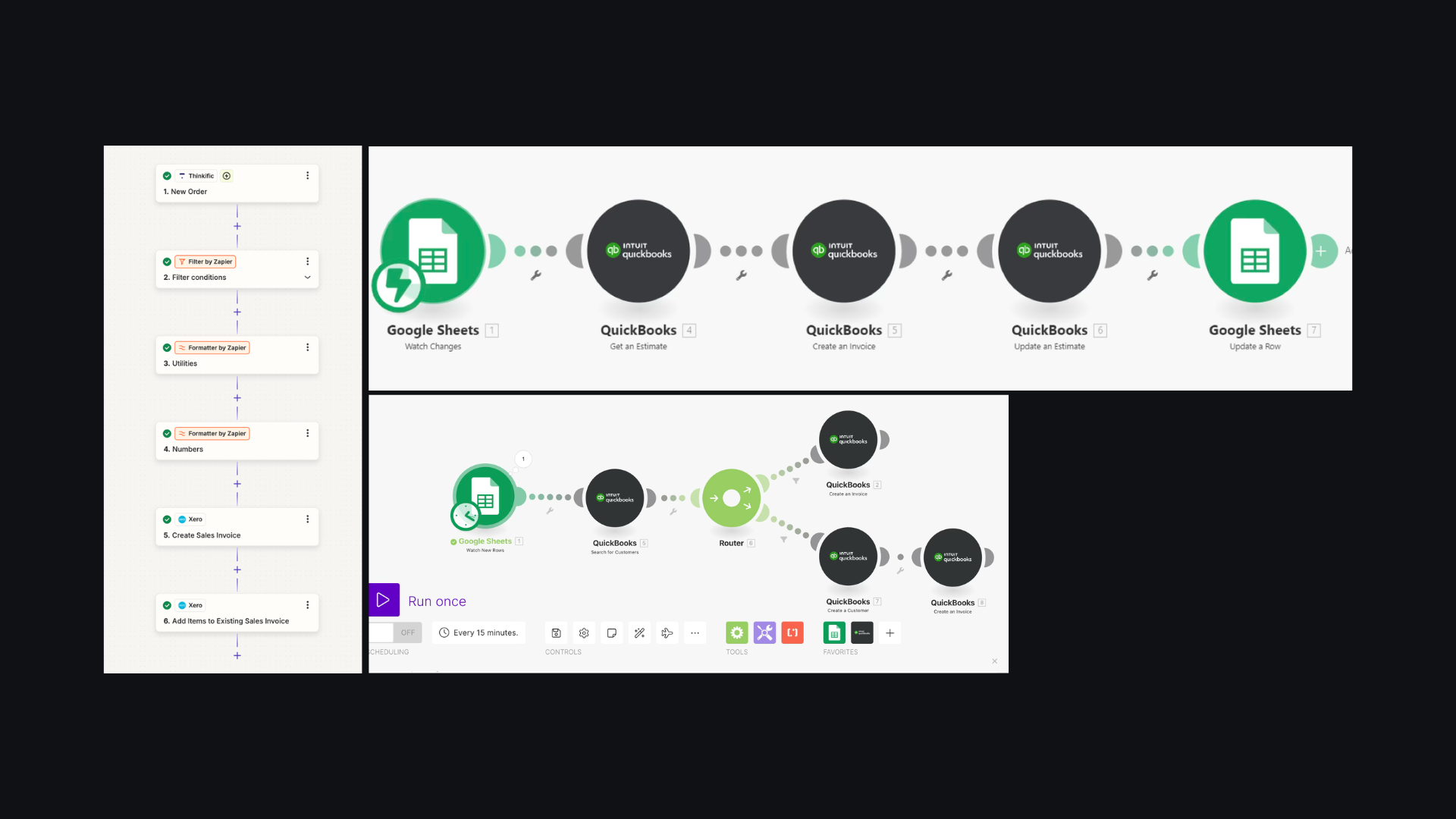
Automatic Invoice Generation (Xero & QuickBooks)
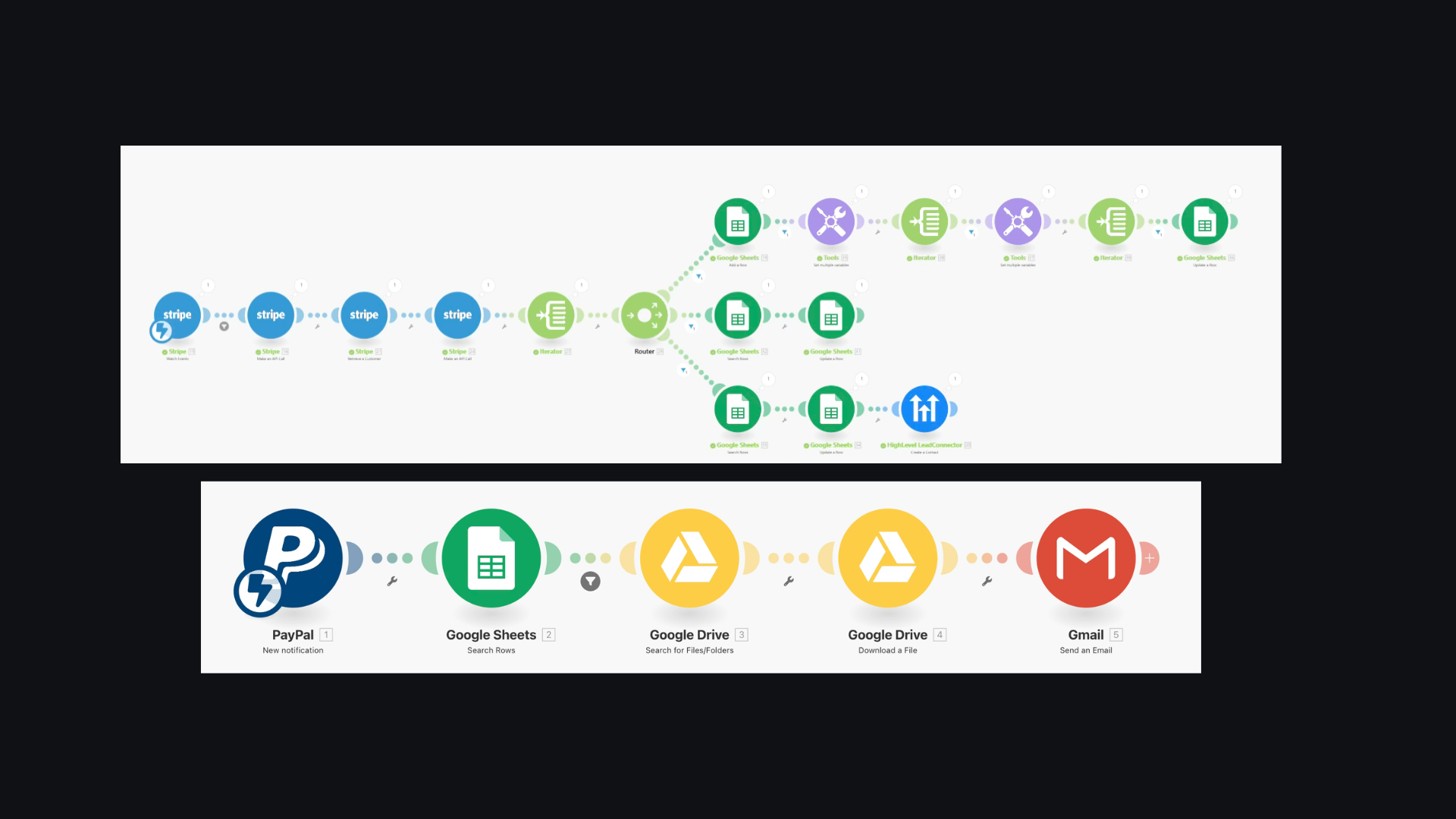
Payment Reconciliation Workflows (Stripe & PayPal)
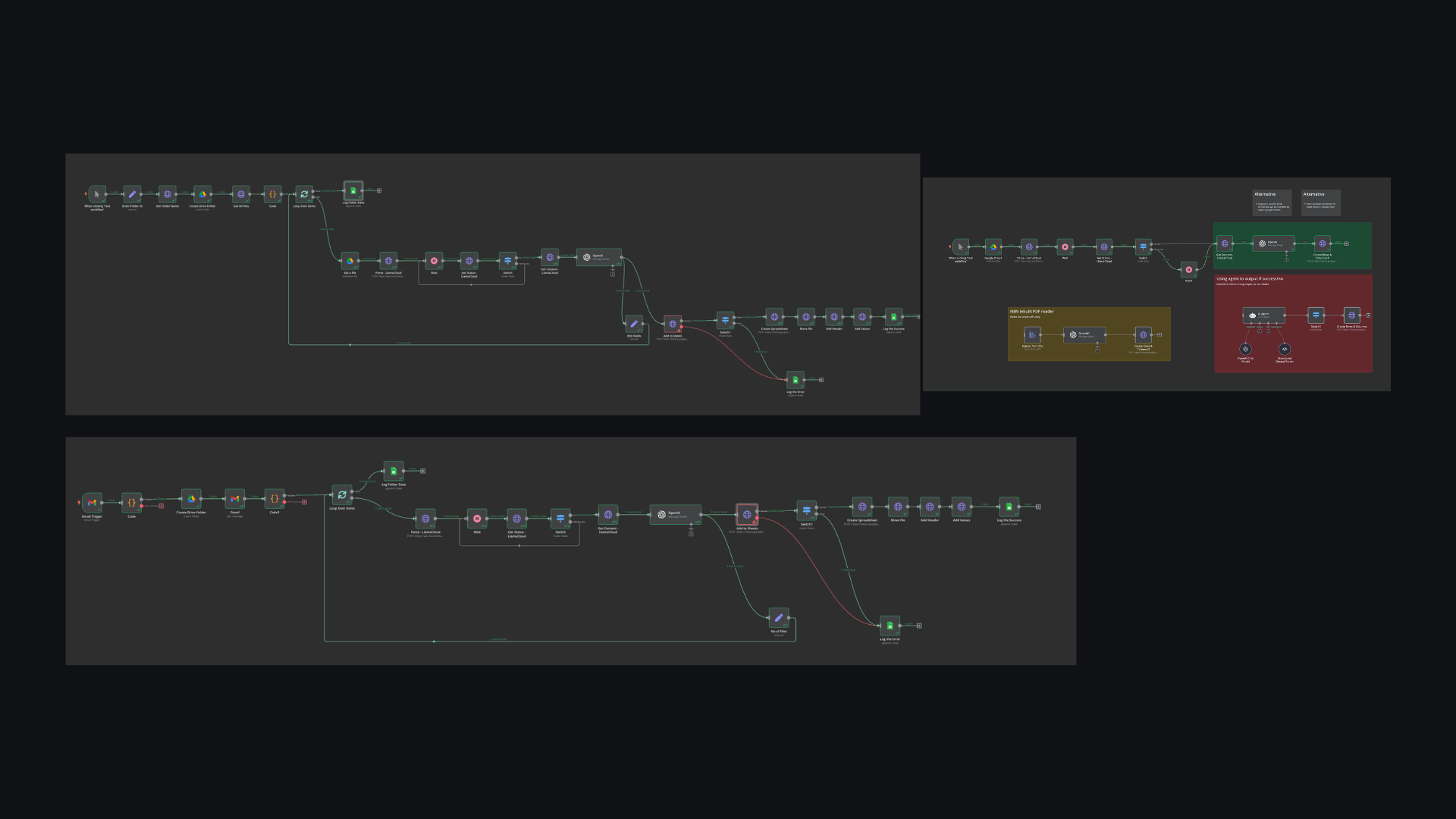
Invoice Dispute Management AI Agents
AR automation is a $3.4B market growing to $6.6B.
83% still haven't automated. Early movers win.
By 2031
CAGR
Plan AI in AR
Accounts Receivable Automation, Explained
- What is accounts receivable automation?
- Accounts receivable automation replaces the manual work of tracking invoices, matching payments, chasing overdue balances, and reporting on aging with software and AI agents. It covers cash application, collections and dunning, dispute handling, credit risk, and AR reporting - the five workflows that eat most of an AR team's time.
- How does automating accounts receivable reduce DSO?
- DSO drops when invoices get paid faster and cash gets applied faster. Automated dunning sends the first reminder on day one instead of day 30, escalates consistently instead of depending on someone remembering to follow up, and prioritizes the largest and oldest balances first. Automated cash application closes invoices the moment payment lands instead of days later, so the aging report reflects reality.
- What's the difference between AR automation software and building it yourself?
- AR automation software (Stampli, Bill.com, Tipalti, Versapay) is a platform you configure and run yourself, usually with a migration to their system. The alternative is building the automation on top of the accounting stack you already use (QuickBooks, Xero, FreshBooks) with a workflow tool like n8n, Make or Zapier plus an AI model, so there is no migration and no new system for the team to learn.
- How do I automate accounts receivable without migrating off QuickBooks or Xero?
- Connect a workflow tool (n8n, Make or Zapier) to QuickBooks or Xero through their APIs and build each workflow as a layer on top: cash application, dunning, dispute handling, reporting. The team keeps working in the accounting system it knows and the automation runs in the background.
- How much does B2B accounts receivable automation cost?
- Enterprise AR platforms and dedicated collections headcount typically cost $2,000-$10,000 a month. A build on n8n or Make with an AI model usually costs tens of dollars a month in tool and API fees, plus the time to build and maintain it. The free tools on this site cover single tasks at no cost.
Part of the Quote-to-Cash flow
Keep going
Try a free tool for the same step, or read more on the blog. Stuck on something? Ask me.
AR Collections Email Generator
Write the right collection email for how overdue an invoice is and who the client is.
When Will I Get Paid?
Turn an invoice date and payment terms into a due date and expected payment date.
Late Payment Interest Calculator
Calculate the interest and late fees owed on an overdue invoice.
Stuck on an AR workflow?
Ask about any of the five workflows, a tool, or a setup you are building. I read every message.