AR Automation Software vs. AR Automation Service: Which One Actually Fits Your Team
Stampli, Bill.com, Tipalti, and Versapay are tools you configure and run yourself. An AR automation service runs it for you, on the accounting stack you already have. Here's how to choose.
RevExOS
Q2C Consulting
Search "AR automation" and every result looks like a product page: sign up, connect your accounting system, configure your workflows, go live. That's the software model, and it's the only model most buyers know exists. It isn't the only one.
The other model is a service: a team (increasingly AI-assisted, sometimes with humans reviewing exceptions) that builds and runs the AR process for you, on top of the accounting system you already use, without you ever logging into a new tool. Both models solve the same underlying problem. They fit different teams for different reasons, and most comparison content doesn't say so plainly because most of it is written by the software vendors.
There are really two questions here. The first is whether off-the-shelf software can model your billing at all, or whether you need custom AR infrastructure connected to your CRM and billing logic (covered further down). The second is who operates AR day to day once a system exists: you, using software, or a vendor, as a service.
What "AR Automation Software" Means
Stampli, Bill.com, Tipalti, Versapay, Gaviti, Chaser, Invoiced, Kolleno - these are all software (see the full vendor-by-vendor comparison if you're evaluating this category directly). The shape is the same regardless of vendor:
- You sign a contract, usually per-seat or per-invoice-volume
- You (or your AR team) log into their platform and configure collection cadences, approval rules, and dunning templates
- You connect it to QuickBooks, Xero, or NetSuite, usually as a one-way or limited two-way sync
- Your team runs it: reviewing the queue, approving exceptions, adjusting templates when they stop working
- When something breaks - a customer disputes an invoice, a payment doesn't match, a cadence needs a one-off exception - your team handles it, inside the tool
You're buying a workspace, not an outcome. That's not a criticism; for a team with the internal capacity to own that workspace, it's often the right call - the section on when off-the-shelf software is enough, below, covers exactly when.
What "AR Automation Service" Means
An AR automation service - what RevExOS builds - inverts who owns the operating work:
- No new login, no seat license. The system is built directly on your existing QuickBooks, Xero, or FreshBooks account
- Collections cadences, dunning tone, and escalation rules are configured once, against your actual payment terms and customer relationships, not a generic template library
- Exceptions - disputed invoices, PO mismatches, a good customer who's suddenly gone quiet - are triaged and mostly resolved before they ever reach your team's inbox
- You get visibility (a dashboard, a weekly summary, whatever cadence you want) without doing the operating work yourself
You're buying a result: fewer overdue invoices, lower DSO, less time your team spends chasing. The tradeoff is the one every "software vs. service" decision comes down to: less configuration control, in exchange for not being the one who has to do the configuring, forever.
Side by Side
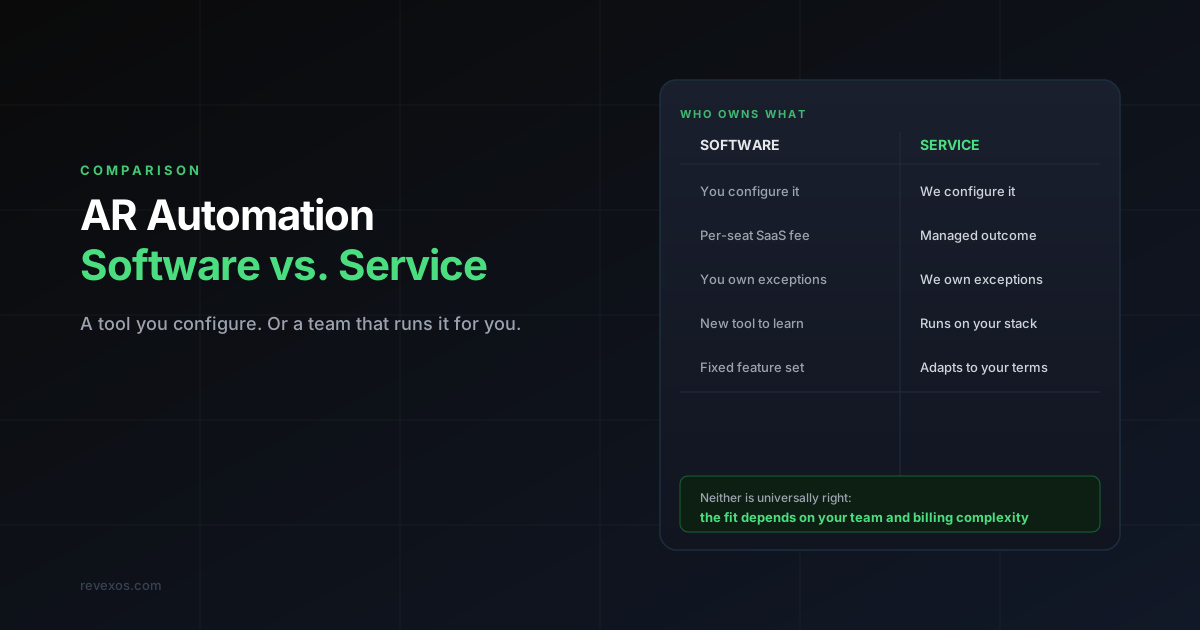
| AR Automation Software | AR Automation Service | |
|---|---|---|
| Who operates it day to day | Your team, inside the vendor's tool | The vendor, on your existing stack |
| Onboarding | Migrate workflows into a new platform | Built on the accounting system you already use |
| Pricing shape | Per-seat or per-invoice-volume SaaS fee | Managed fee tied to outcome or invoice volume |
| Exception handling | Your AR staff reviews and resolves | Triaged and mostly resolved before it reaches you |
| Customization | Configure within the tool's data model | Built around your actual billing and terms |
| Best fit | Teams with AR headcount and simple, consistent billing | Lean teams, or billing complex enough that "simple" doesn't describe it |
| What you're buying | A workspace | An outcome |
The Question That Actually Decides This
Not "which tool has better reviews" - "who do you want doing the collections work every single day?"
If you have (or plan to hire) AR staff whose job is to run a system, software is the right shape - you're paying for a workspace they'll live in. Gaviti, Chaser, and similar tools are built exactly for that team.
If you don't have dedicated AR headcount - a finance team of one, a founder still doing collections personally, an ops lead for whom AR is the fourth thing on their list - a service closes that gap without requiring you to hire for it or learn a new platform. This is also the more common shape for professional services firms and accounting firms managing AR across multiple client books, where the billing logic is too irregular for one team to standardize inside a single software configuration anyway.
When Off-the-Shelf Software Is Enough, and Where It Hits a Wall
Before deciding who operates AR, check whether a SaaS tool can model your billing in the first place. Most AR tools (Gaviti, Chaser, and similar) are a workflow layer on top of your accounting system, and that shape has three built-in gaps:
- They don't connect to your source of truth. They sync invoices from QuickBooks, Xero, or NetSuite, but not your CRM, contract system, or subscription platform. When an invoice is wrong because the deal data was wrong, or a customer is mid-contract-change and billing should pause, the tool keeps chasing anyway.
- They don't handle complex billing logic. Usage-based or hybrid pricing (platform fee + usage + services), multi-entity billing, ASC 606 milestone rules, and mid-cycle upgrades, pauses, and credits all break a data model built on simple invoice-to-payment relationships.
- They don't fix your system of record. If customer records are duplicated or invoices don't map to contracts, the tool builds tidy workflows on a broken foundation. You can't automate your way out of a data model problem.
Software works well when billing is simple and consistent (fixed fee, recurring), the books are clean, you need better collections workflows rather than deeper integration, and you need something running in days. For a $2-10M business with clean books, a $200-$600/month tool will cut manual chasing and typically take 5-10 days off DSO. See the rankings for QuickBooks and Xero.
It breaks down when your billing has complexity the tool can't model, AR needs to connect to CRM, contracts, and usage data, you already tried a tool and still have exceptions everywhere, or you need provably correct revenue data for scale, fundraising, or audit. At that point you need AR infrastructure: a system that runs CRM deal data through contracts and billing into invoices, matches bank transactions back through cash application, and drives dunning from actual payment behaviour.
| Off-the-shelf AR tool | Custom AR infrastructure | |
|---|---|---|
| Setup time | Days to weeks | Weeks to months |
| Billing complexity | Simple/standard only | Any model |
| CRM integration | Read-only or none | Full two-way |
| Cash application | Manual or limited | Automated, 85-90%+ match rate |
| Data model | The tool's schema | Built around yours |
| Cost | $200-$2,000/month SaaS | Project-based, no per-seat fees |
| Audit readiness | Partial | Full, by design |
A quick test: can you describe your billing model in one sentence? If yes (fixed retainer, monthly subscription, simple per-unit), start with a tool. If it takes a paragraph, you need infrastructure. Enterprise platforms like HighRadius, Esker, and Billtrust do handle complexity, but with six-figure contracts and 6-12 month implementations sized for $100M+ companies; the gap for $2-30M businesses is infrastructure built on the stack they already run.
What Doesn't Change Either Way
Both models still need:
- Clean, accurate invoice data at the source (garbage in, garbage out applies identically to software and service)
- A defined cadence - when a reminder goes out, when tone escalates, when a human gets looped in
- Someone accountable for DSO as a number the business tracks, not just a workflow that runs
Neither model is a substitute for fixing upstream data quality problems. If your invoices are wrong before they leave your building, no tool and no service recovers that time - see what actually causes AR problems for services businesses for the deeper version of that argument.
Frequently Asked Questions
Can I switch from software to a service later, or vice versa? Yes, in either direction, though moving away from software is easier since you're not migrating a system, you're just changing who operates the process on your accounting data. Moving from a service to software means standing up and configuring a new platform from scratch.
Is a service more expensive than software? Not necessarily. Per-seat software pricing can exceed a managed service fee once you count the internal headcount time spent configuring and babysitting the tool. Compare total cost of ownership, not just the sticker price of the subscription.
Do I lose visibility with a service model? No - a well-built service still gives you a dashboard or reporting cadence. What you give up is the day-to-day configuration screen, not visibility into what's happening with your AR.
What if my billing is genuinely simple - fixed retainer, one invoice a month per customer? Then a low-cost software tool is probably the most cost-effective option and a service is overkill. Simple, consistent billing is exactly the case where off-the-shelf software works well - see the section on when off-the-shelf software is enough, above.
To apply this framework to your own invoice volume, start with the Q2C Stack Checker to map your current tools, then the collections guides and tools. Questions about your numbers? Ask me.