Free Invoice Generator vs. Paid Invoicing Software: When to Actually Upgrade
A free generator is enough until you need payment tracking, recurring billing, or real bookkeeping. Here are the concrete thresholds, not a vague 'it depends.'
RevExOS
Q2C Consulting
Most advice on this question stops at "it depends on your needs," which is true and useless. Here are the actual thresholds: specific numbers where a free, no-signup invoice generator stops being the right tool and paid invoicing software starts paying for itself.
What a Free Generator Actually Gives You
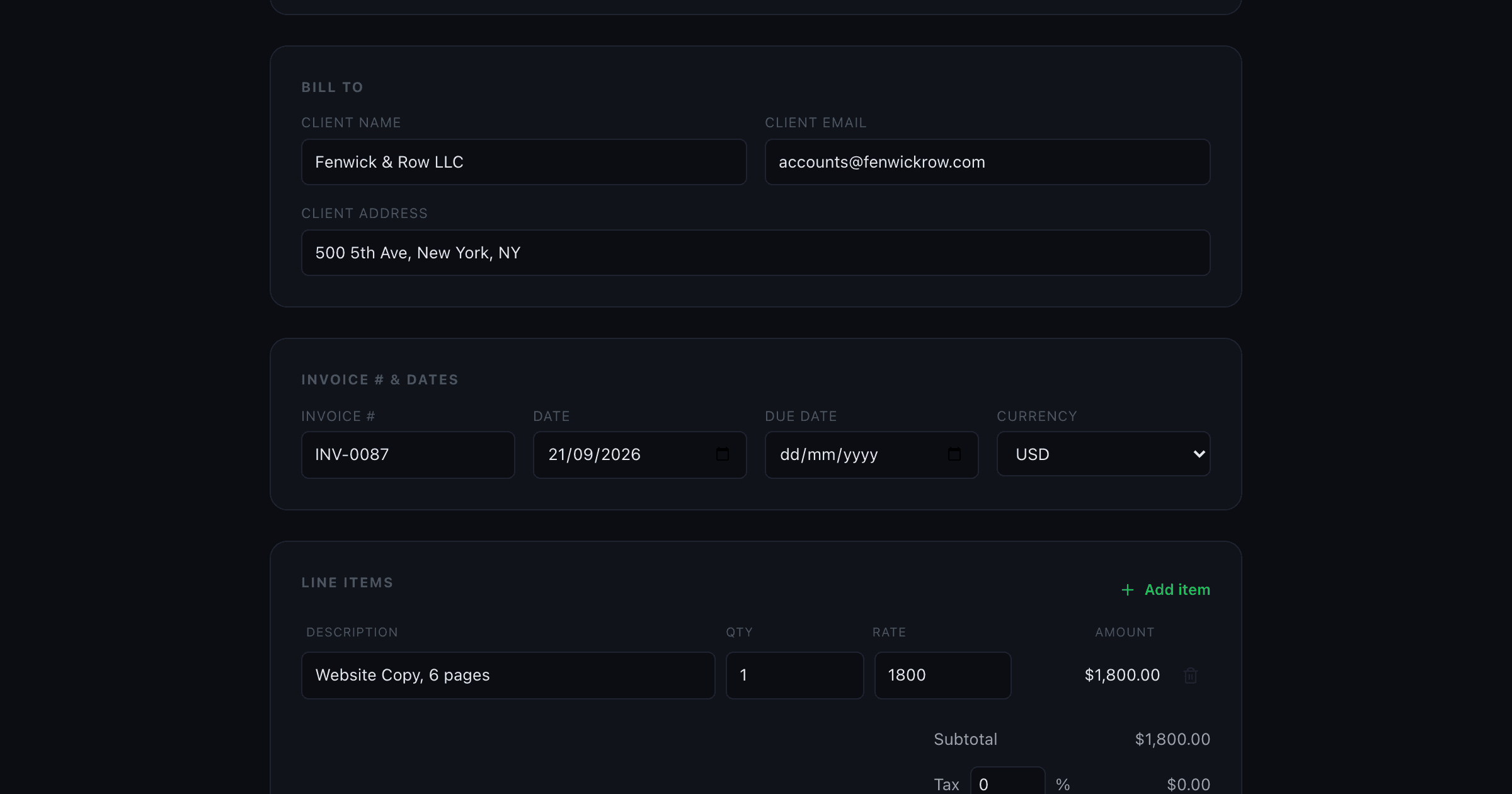
A tool like this site's own Invoice Generator, or invoice-generator.com, Invoicemaker, or similar, gives you exactly one thing: a professional PDF built from your business info, a client, line items, and a tax rate. Rendered in your browser, downloaded, done. No account, no ongoing record of what you have sent, no payment tracking, no recurring schedule.
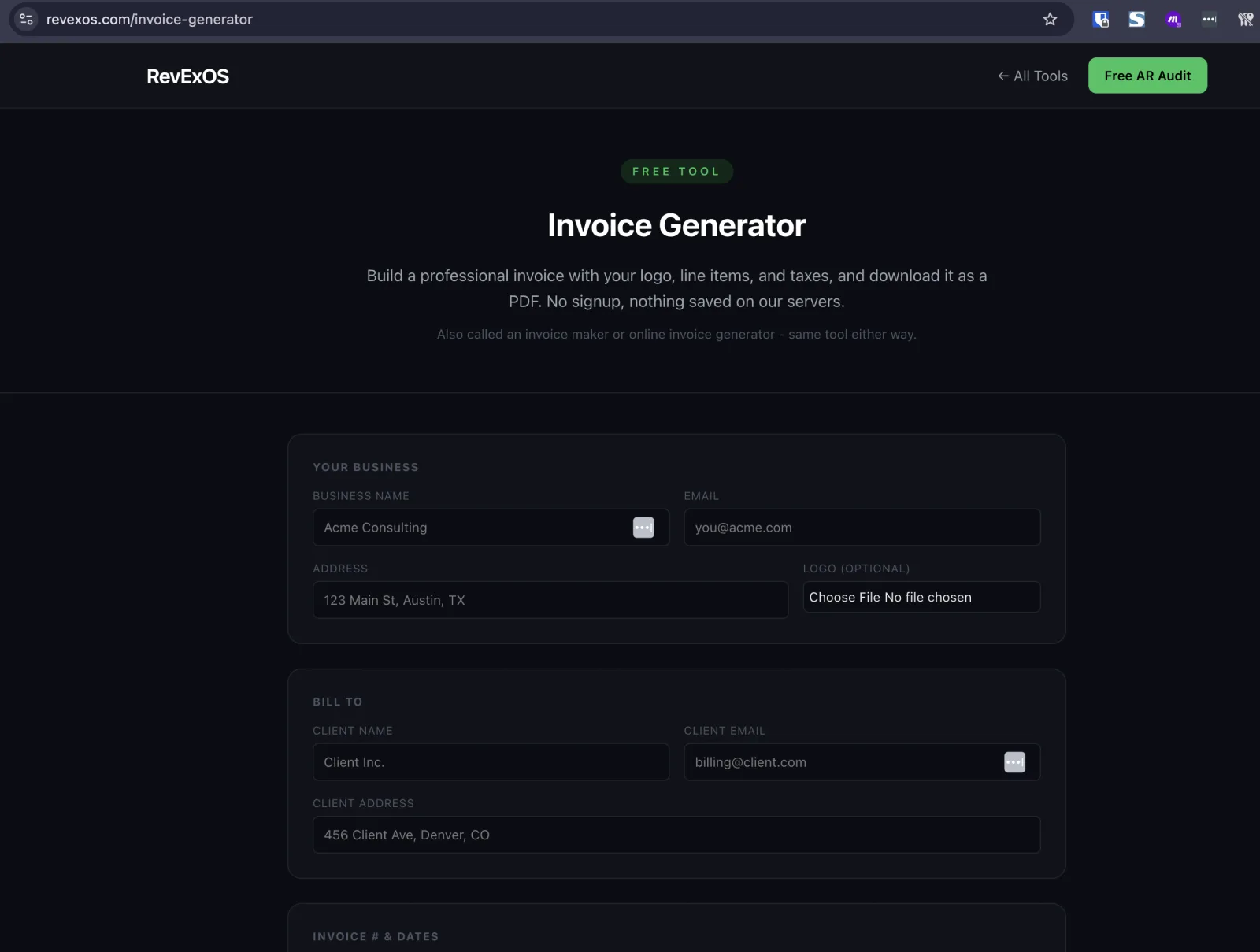
That is not a limited version of paid software. It is a genuinely different tool built for a genuinely different job: producing a document, not running a billing operation.
Threshold 1: Volume
Under 10-15 invoices a month: A free generator is fine. At this volume, keeping track of what has been sent and what has been paid in a spreadsheet or your own memory is not a real burden.
15-30 invoices a month: This is the inflection point. You are now spending real time on two things a generator does not help with: remembering who has not paid yet, and re-entering the same client details every time. This is usually when a switch starts paying for itself in time saved alone.
30+ invoices a month: A free generator is actively costing you time relative to software with saved clients, invoice history, and status tracking built in.
Threshold 2: Do You Need to Know Who Owes You Money?
A generator has no concept of "unpaid." It produced a PDF three weeks ago and has no idea whether that invoice was paid, ignored, or disputed. If you are chasing overdue invoices from memory or a spreadsheet you have to update by hand, that is the real signal to move to software that tracks invoice status natively, whether that is QuickBooks, Xero, Wave, or a dedicated AR tool. This matters more than most people weigh it: the actual cost of not knowing who owes you money is not the invoicing, it is the collections that never happen because nobody flagged the invoice as overdue in the first place.
Threshold 3: Recurring Billing
If you bill the same client the same amount on a schedule, monthly retainers, subscriptions, recurring service fees, a generator makes you rebuild that invoice from scratch every cycle. Paid invoicing software automates the recurrence entirely: set it up once, it fires on schedule. Anyone billing a recurring retainer more than once should not still be doing it in a generator.
Threshold 4: Do You Need Real Bookkeeping, Not Just Documents?
A generator produces a document. It does not produce a ledger. If you need your invoices to actually flow into double-entry accounting, income statements, tax prep, reconciled bank feeds, you need real accounting software (QuickBooks, Xero, Wave), not a document generator, no matter how good the generator's PDF looks. This is also where the free tier of some paid platforms becomes relevant: Wave, for instance, bundles free invoicing with genuine double-entry bookkeeping, which is a meaningfully different offer than a bare PDF generator even though both are "free."
Threshold 5: How Many People Touch the Invoicing Process?
A generator has no concept of a second user. If it is just you filling in the form and downloading a PDF, that is fine indefinitely. The moment a second person needs to create or approve invoices, a bookkeeper, an office manager, a co-founder, you need shared invoice history and permissions, which no PDF generator offers. QuickBooks, Xero, and Wave all support multiple users with different access levels; a generator only ever has the one browser tab it was filled in on.
Side by Side: What Changes When You Upgrade
| Free Generator | Paid Invoicing Software (QuickBooks, Xero, Wave) | |
|---|---|---|
| Cost | $0 | $0-$30+/mo depending on tier |
| Output | PDF only | PDF + a saved, trackable invoice record |
| Payment status tracking | None | Paid/unpaid/overdue tracked automatically |
| Recurring billing | Manual rebuild each cycle | Set once, fires on schedule |
| Multiple users | No | Yes, with permission levels |
| Bookkeeping / ledger | No | Yes (double-entry accounting) |
| Client history | None (nothing is saved) | Full history per client |
| Setup time | Under 2 minutes, no account | 15-60 minutes account setup |
What Doesn't Justify Switching Yet
Wanting a nicer template. Several free generators, and paid tools like Canva, offer strong design. Design alone is not a reason to add a monthly subscription.
Occasional multi-currency needs. Most generators, this site's Invoice Generator included, support several currencies (USD, EUR, GBP, INR, CAD, AUD here) without requiring paid software.
Wanting the invoice reflected in your books, at low volume. For a handful of invoices a month, running the PDF through a free tool like this site's Invoice Parser to get a QuickBooks or Xero-ready CSV gets you the bookkeeping outcome without a subscription. This stops scaling somewhere past a few dozen invoices a month, at which point native software with an invoicing-to-books pipeline built in is worth the cost.
A Simple Way to Decide
Ask four questions. If you answer yes to two or more, it is time to move off a free generator:
- Do I send more than 15-20 invoices a month?
- Do I need to track who has and has not paid, without checking manually?
- Do I bill the same client on a recurring schedule?
- Does more than one person need to create or approve invoices?
If the answer to all four is no, a free generator, paired with a free parsing tool for the occasional QuickBooks or Xero export, is genuinely the right tool, not a placeholder until you can afford better. It is worth being honest about which side of these thresholds you are actually on: plenty of freelancers and small consultancies stay under 15 invoices a month for years and never need to pay for invoicing software at all, while a two-person agency billing eight retainer clients monthly is already past the recurring-billing threshold in month one.
Try the Invoice Generator or, if you are quoting work before you invoice it, start with the Quote Generator and convert to an invoice with one click once your client accepts. If you land on the paid side of these thresholds, the Invoice Parser still has a role even after you switch software, useful for cleaning up any invoices from before the migration so your new system's history is not missing your last few months of billing.
Frequently Asked Questions
- How many invoices a month justifies paid invoicing software?
- Around 15-30 a month is the inflection point, mainly because tracking who has and hasn't paid by hand stops being manageable well before you hit real accounting needs.
- Can I still avoid a subscription if I bill recurring retainers?
- Not comfortably. Recurring billing is one of the clearest signals to upgrade, since a generator makes you rebuild the same invoice from scratch every cycle.
- Does needing multi-currency invoicing mean I need paid software?
- No. Several free generators, including RevExOS's, support multiple currencies (USD, EUR, GBP, INR, CAD, AUD here) without any subscription.
 QuickBooks Online
 Xero
Xero