End-to-End AR Automation on Zoho + n8n
From invoice creation through multi-stage approval, payment batching, and proof-of-payment delivery - a full accounts receivable system running without a single manual touch.
My role: solo build, from scoping the workflow to deploying and handing it over.
Manually creating invoices and reconciling payments took 15-30 minutes per invoice, with no consistent audit trail and no visibility into what was pending approval, paid, or overdue.
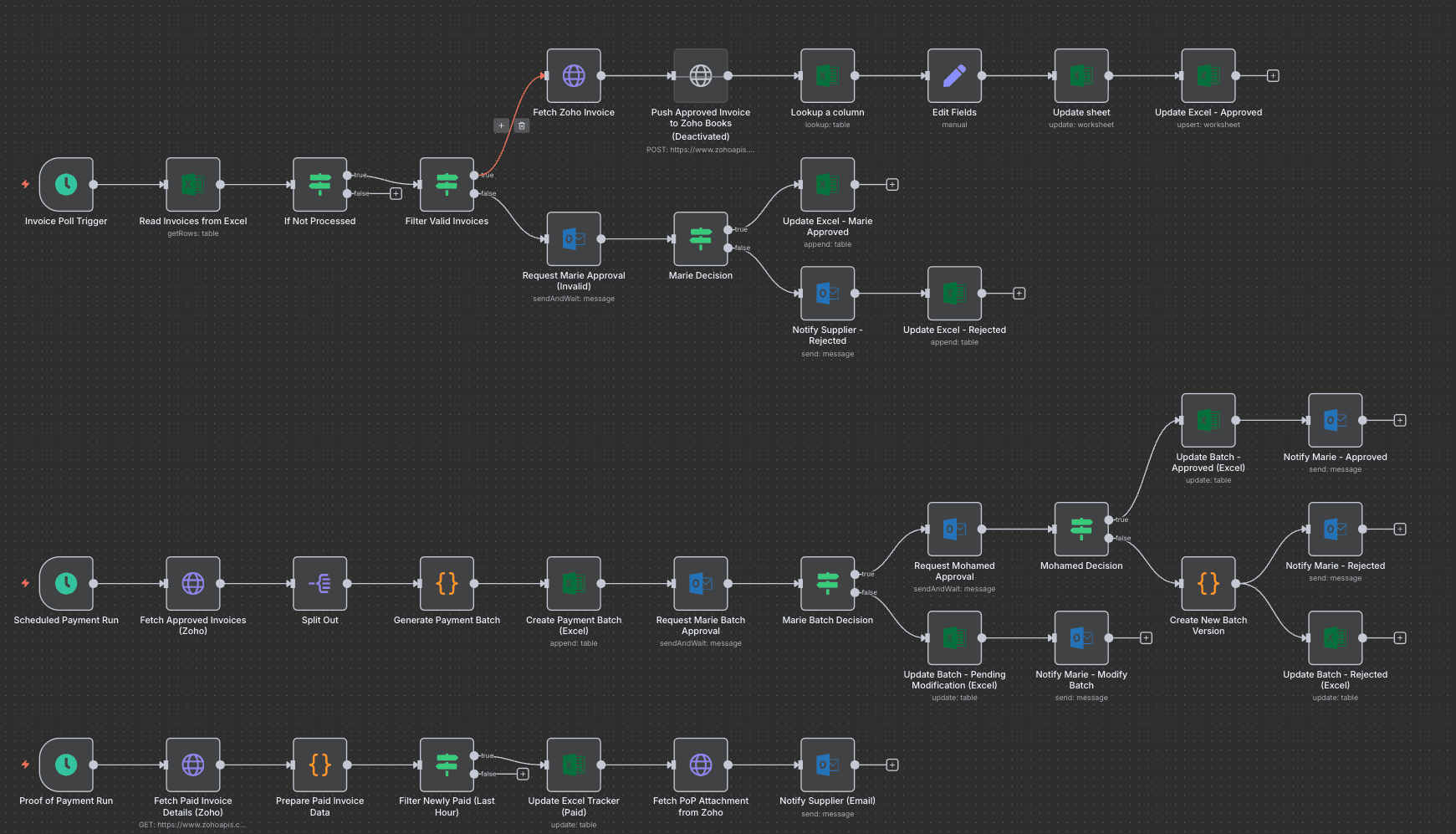
We built a three-lane n8n system on Zoho: one lane polls for new invoices, validates them, and routes them through a two-stage approval process with Excel-tracked status at every step. A second lane runs scheduled payment batches, generating and routing batch approvals automatically. A third lane watches for proof-of-payment and notifies suppliers the moment it's available.
Stack
How It Works
Invoice intake and validation
A scheduled trigger reads new invoices from Excel, filters out already-processed ones, and validates them before routing.
Two-stage human approval
Invalid invoices get flagged for review; valid ones proceed. Approved invoices push straight to Zoho Books.
Scheduled payment batching
A separate scheduled run fetches approved invoices from Zoho, batches them, and routes the batch for approval before anything pays out.
Batch decision handling
Approved, rejected, or modification-requested batches each take a different automated path - updating trackers and notifying the right person.
Proof of payment
A third scheduled run detects newly paid invoices, updates the Excel tracker, fetches the proof-of-payment attachment from Zoho, and emails it to the supplier automatically.
Results
per invoice, before
stack
manual touches after go-live