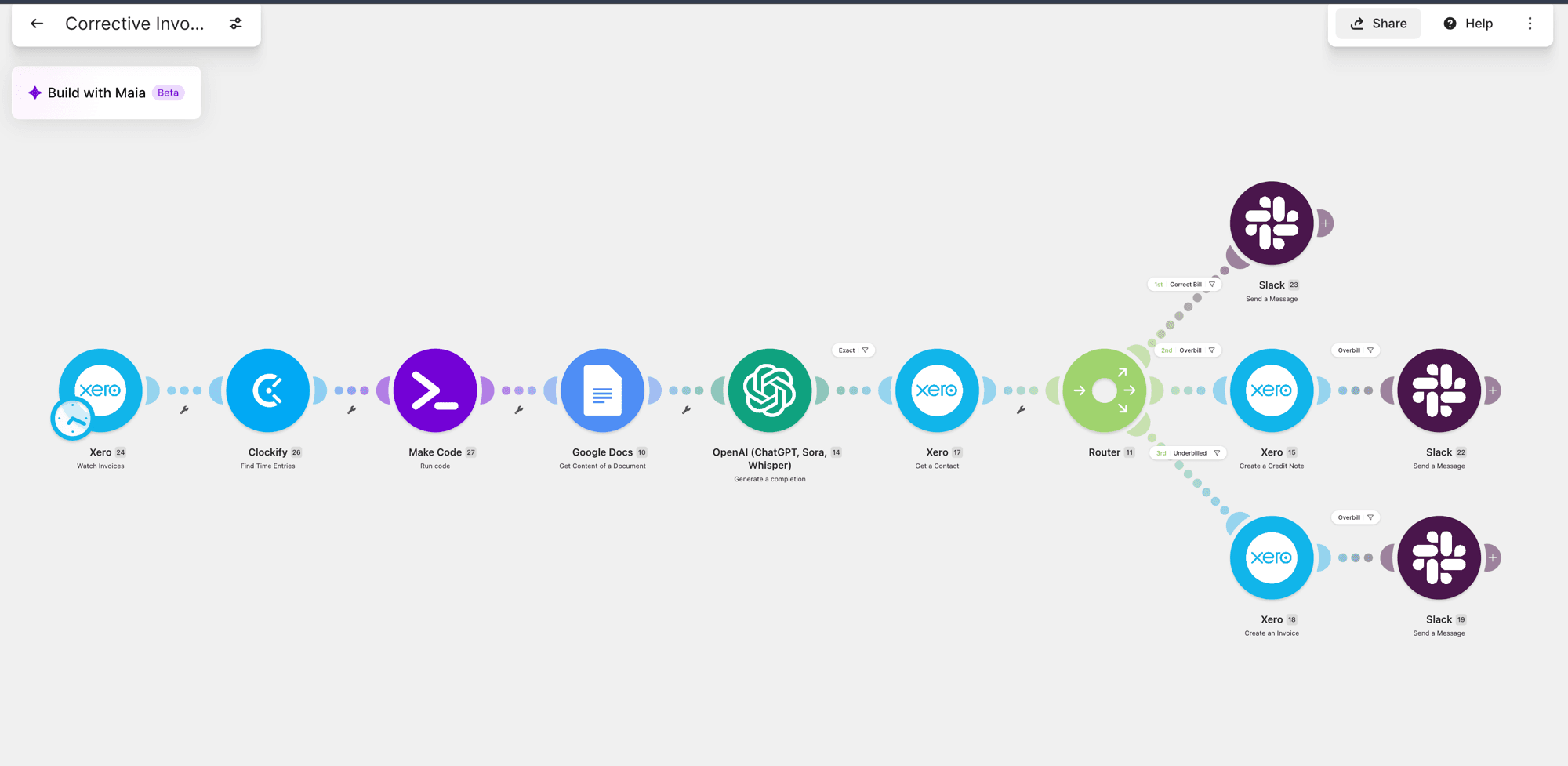
Automated Invoice Generation Across QuickBooks, Xero, and Thinkific
Orders and estimates turn into invoices automatically - no one manually finds a price, retypes a line item, or opens QuickBooks to create a bill.
My role: solo build, from scoping the workflow to deploying and handing it over.
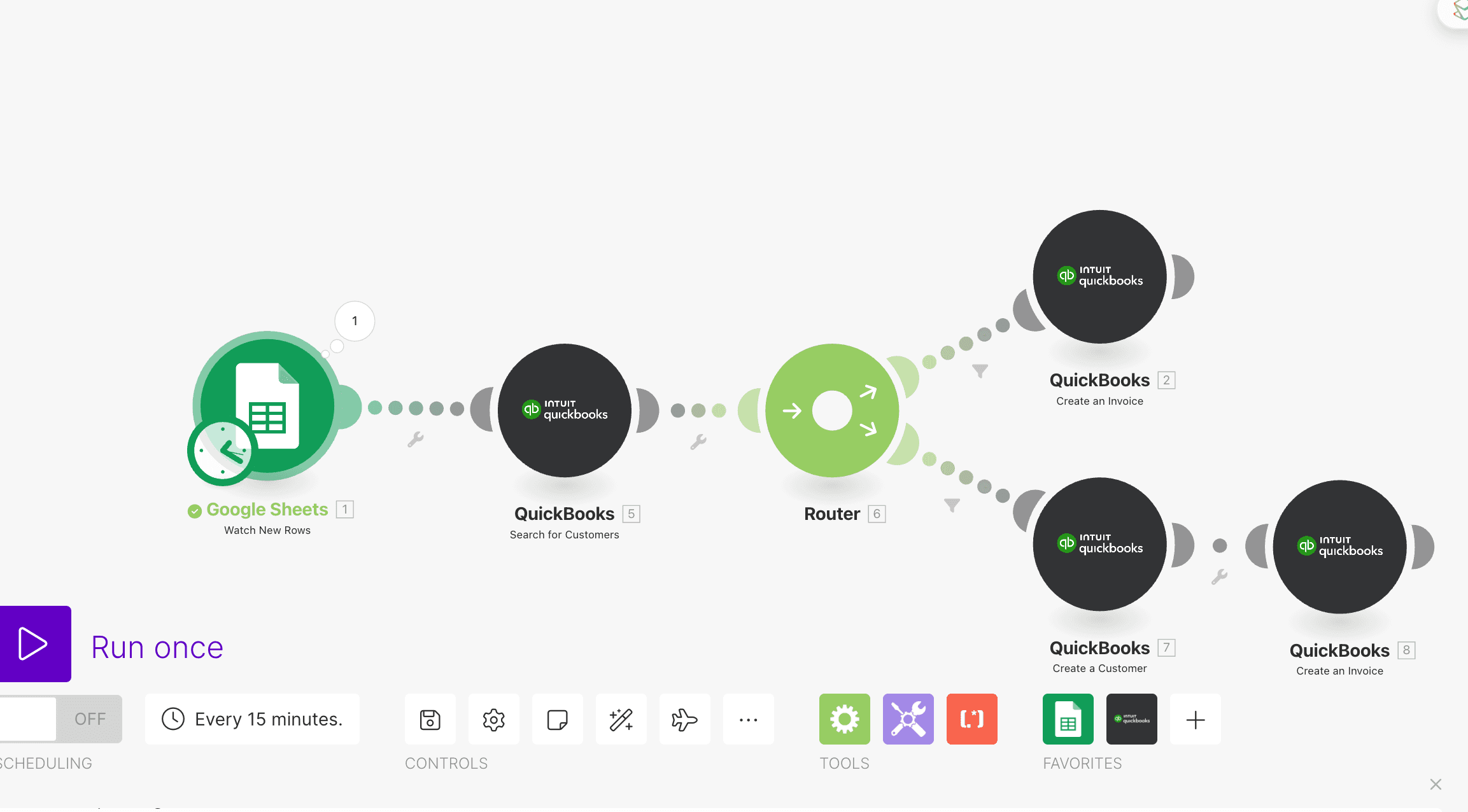
Someone had to find the order price in a spreadsheet or CRM, open the accounting system, and manually create the invoice - a repeat task every time a deal closed or a course sold.
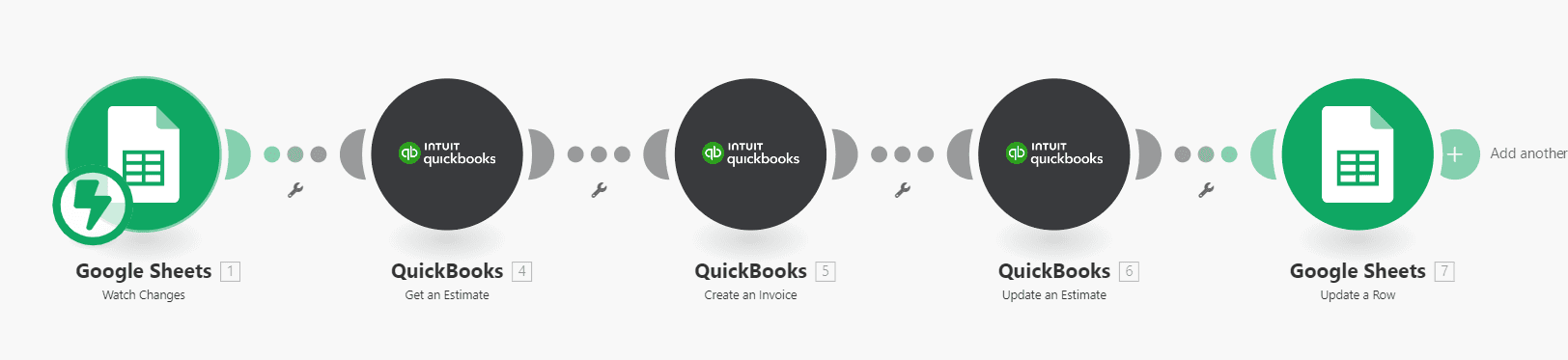
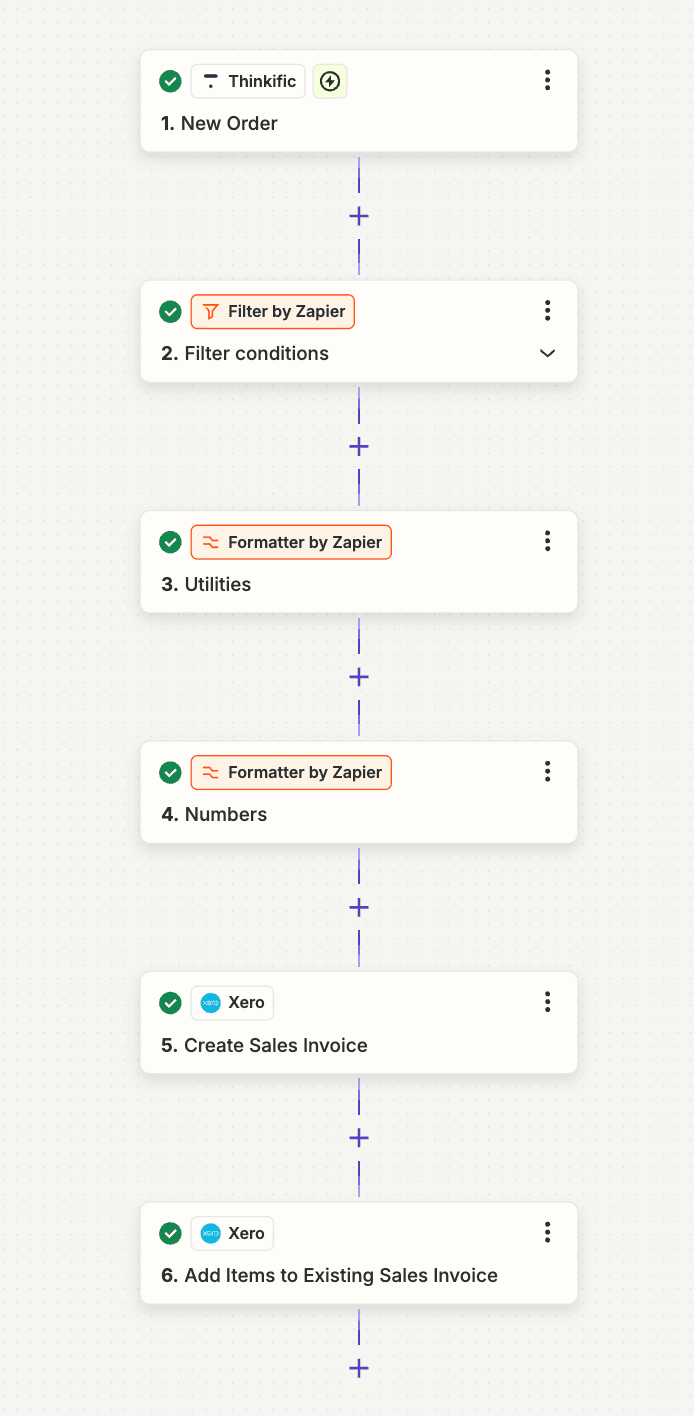
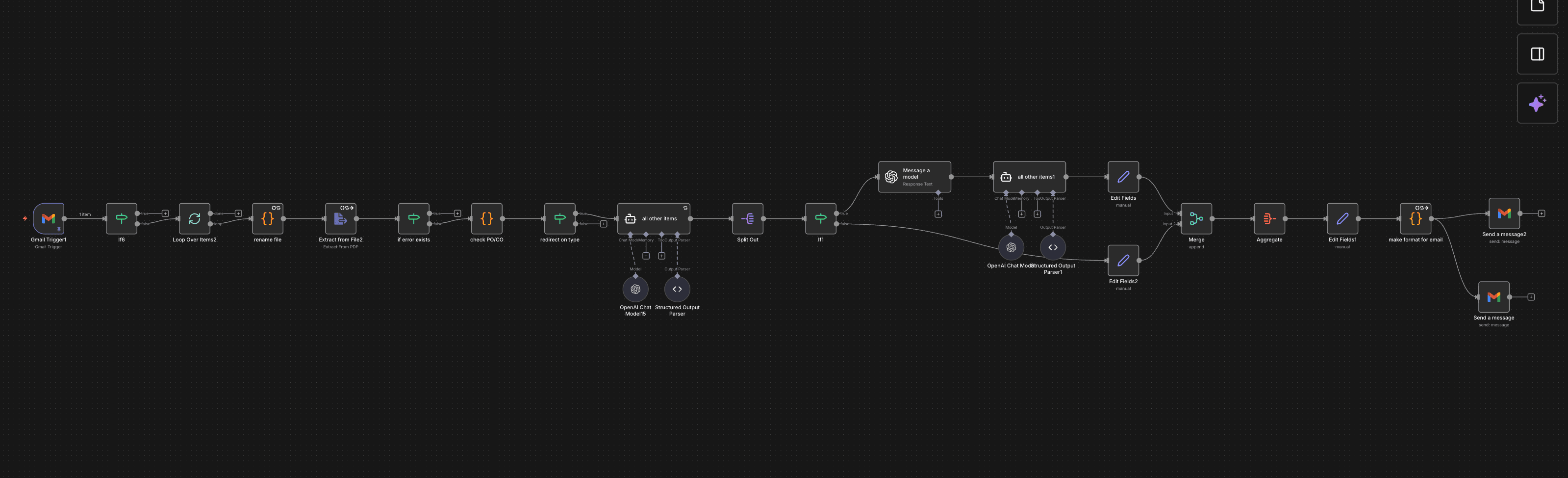
Make.com and Zapier scenarios watch for new orders (Thinkific course sales, new QuickBooks estimates, new customers) and generate the invoice automatically - product, price, and customer matched and pushed straight into Xero or QuickBooks.
Stack
How It Works
Detect the trigger event
A new Thinkific order, a new QuickBooks estimate, or a new/existing customer match.
Look up product and pricing
Price and product details are fetched from a spreadsheet or the CRM record - no manual entry.
Create or update the invoice
The invoice is generated directly in Xero or QuickBooks, line items and totals populated automatically.
Match or create the customer
If the customer doesn't exist yet in the accounting system, the workflow creates the record first, then attaches the invoice.
Results
invoice generation
manual line-item entry
engine
The Workflow