Invoice Correction and Dispute Management with AI Agents
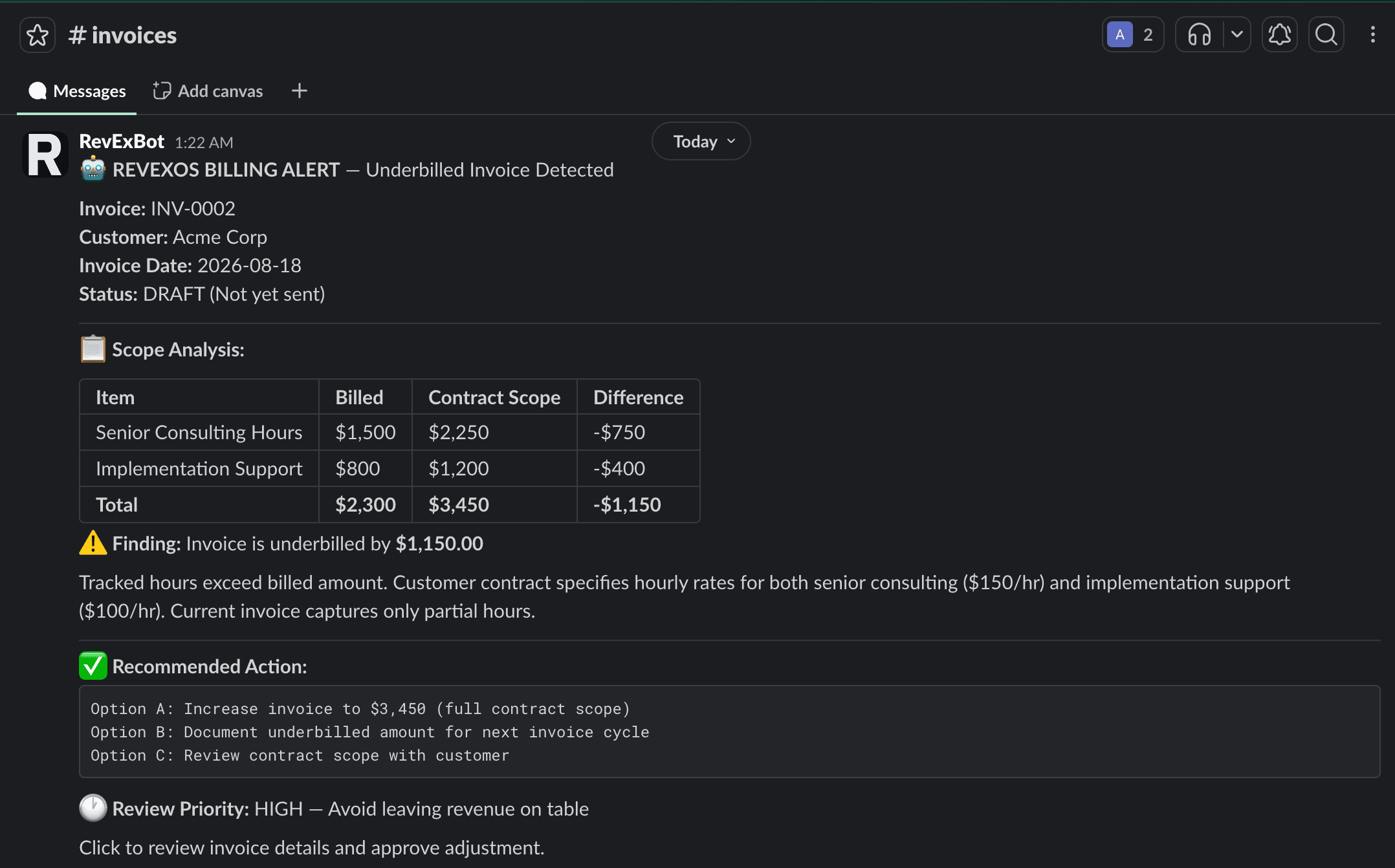
When a bill is wrong - overbilled, underbilled, or disputed - an AI agent reads the time entries, compares them to the invoice, and fixes it in Xero automatically, with a Slack alert either way.
- ×PO mismatches and disputes tracked in email threads and sticky notes
- ×Invoice, time entries and PO pulled by hand before anyone could judge a complaint
- ✓An AI agent compares each Xero invoice with Clockify time entries
- ✓Each invoice classified as exact, overbilled or underbilled
- ✓Credit notes and corrective invoices created automatically
- ✓Every decision logged and posted to Slack
Stack
How It Works
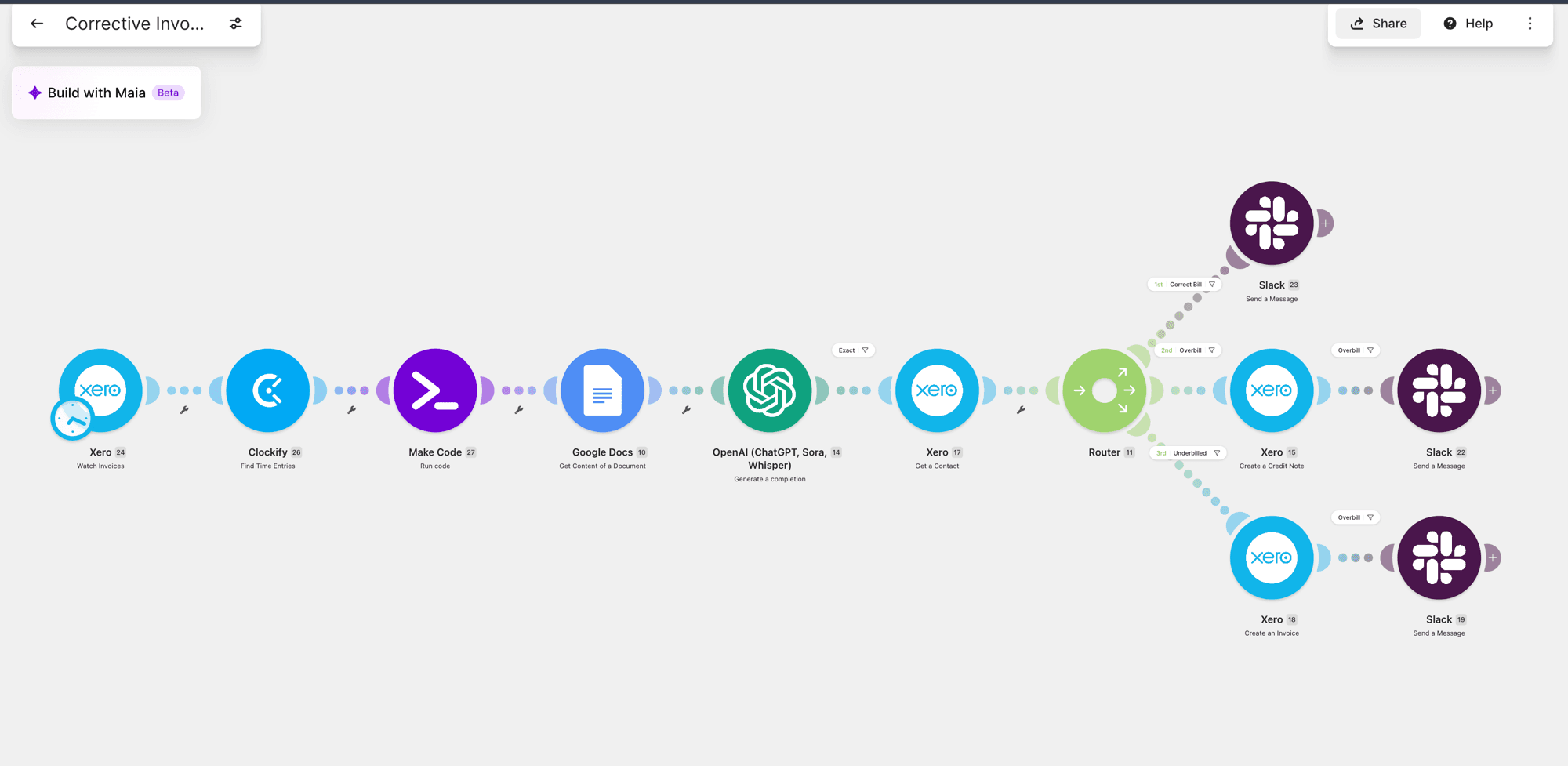
Watch for new invoices
The workflow triggers on new Xero invoices on a schedule.
Pull the source of truth
Actual logged time entries are fetched from Clockify for the same billing period.
AI compares and classifies
OpenAI compares invoiced amounts against logged time and classifies the result: exact, overbilled, or underbilled.
Route and correct automatically
Exact matches get confirmed in Slack. Overbilled invoices trigger a Xero credit note. Underbilled invoices trigger a new corrective invoice - before a human ever opens the case.
Full audit trail
Every decision and correction is logged and posted to Slack, so nothing gets missed silently.
Results
powered classification
typical resolution
audit trail
The Workflow

FAQ
What does the AI compare?+
Each Xero invoice against the time entries logged in Clockify for the same billing period.
What happens when an invoice is wrong?+
Overbilled invoices get a credit note and a corrected invoice. Underbilled invoices get a new invoice for the difference. Either way, Slack gets an alert.
Does a person still review it?+
The Slack alert shows billed versus contracted amounts line by line, so an accountant can check the fix before the invoice leaves draft.