AI Agents That Parse Invoices and Purchase Orders from Gmail
AI agents fetch PDFs and images straight from Gmail and Drive, extract every field with OCR + LLM parsing, and write clean structured data to Sheets - without anyone touching an inbox.
- ×Every invoice and PO email opened by hand
- ×Attachments downloaded one at a time
- ×Line items, amounts and vendor details retyped into a sheet
- ×No consistency check on what was entered
- ✓An AI agent watches Gmail and Drive for PDFs and images
- ✓OCR (DeepSeek OCR, Azure Document Intelligence or LlamaParse) plus OpenAI extracts every field
- ✓Structured data written straight to Google Sheets, the PDF filed in Drive
- ✓A dedup filter so the same email is never processed twice
Stack
How It Works
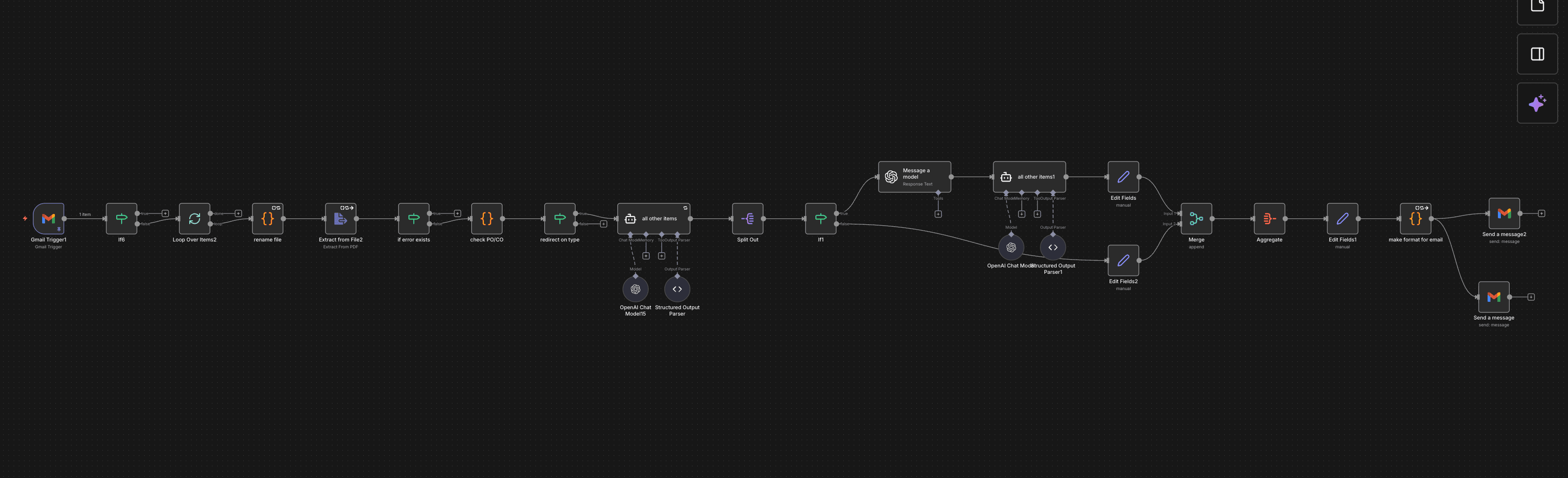
Watch the inbox
The AI agent monitors Gmail and Drive for new invoice or PO attachments - PDFs and images alike.
Extract with OCR + LLM
The document is parsed with a specialized OCR service, then OpenAI extracts and structures every field: vendor, line items, totals, PO number.
Cross-check against tools
The agent can query a vector database (Supabase or Pinecone) or external APIs to validate vendor details or match against known records.
Write to Sheets and file the PDF
Structured data lands in Google Sheets; the original PDF is filed into a systemized Drive folder.
Dedup guard
A filter step checks whether that exact email has already been processed, so re-runs never create duplicate rows.
Results
saved on manual data entry
duplicate records
attachments auto-filed
“The project was completed to our expected standard.”
 Rajesh K. · Founder, IQ Invoice (AP Platform)
The Workflow


FAQ
Which file types can it read?+
PDFs and images (scans and phone photos) attached to emails in Gmail or saved in Google Drive.
Which OCR engines does it use?+
DeepSeek OCR, Azure Document Intelligence or LlamaParse for the text, then OpenAI to extract and structure the fields. The engine is chosen per project based on the documents.
How are duplicates prevented?+
A filter step checks whether an email has already been processed, so re-runs never add the same invoice twice.
Can I try the extraction myself?+
Yes. The free invoice parser on this site uses the same approach and exports CSV, Excel, JSON, QuickBooks or Xero formats.