QuickBooks Online Invoice Automation: Estimates and New Customers to Invoices
Approved estimates and new customer rows turn into QuickBooks Online invoices automatically - no one looks up a price, retypes a line item, or creates the customer by hand first.
- ×QuickBooks opened for every closed deal
- ×Customer existence checked by hand
- ×Prices copied from a spreadsheet, line by line
- ×Estimates converted manually, some late and a few never
- ✓The order sheet is checked every 15 minutes
- ✓Customer found in QuickBooks, or created when missing
- ✓Invoice created with the right products and prices
- ✓Approved estimates become invoices, with the sheet and estimate status kept in step
Stack
How It Works
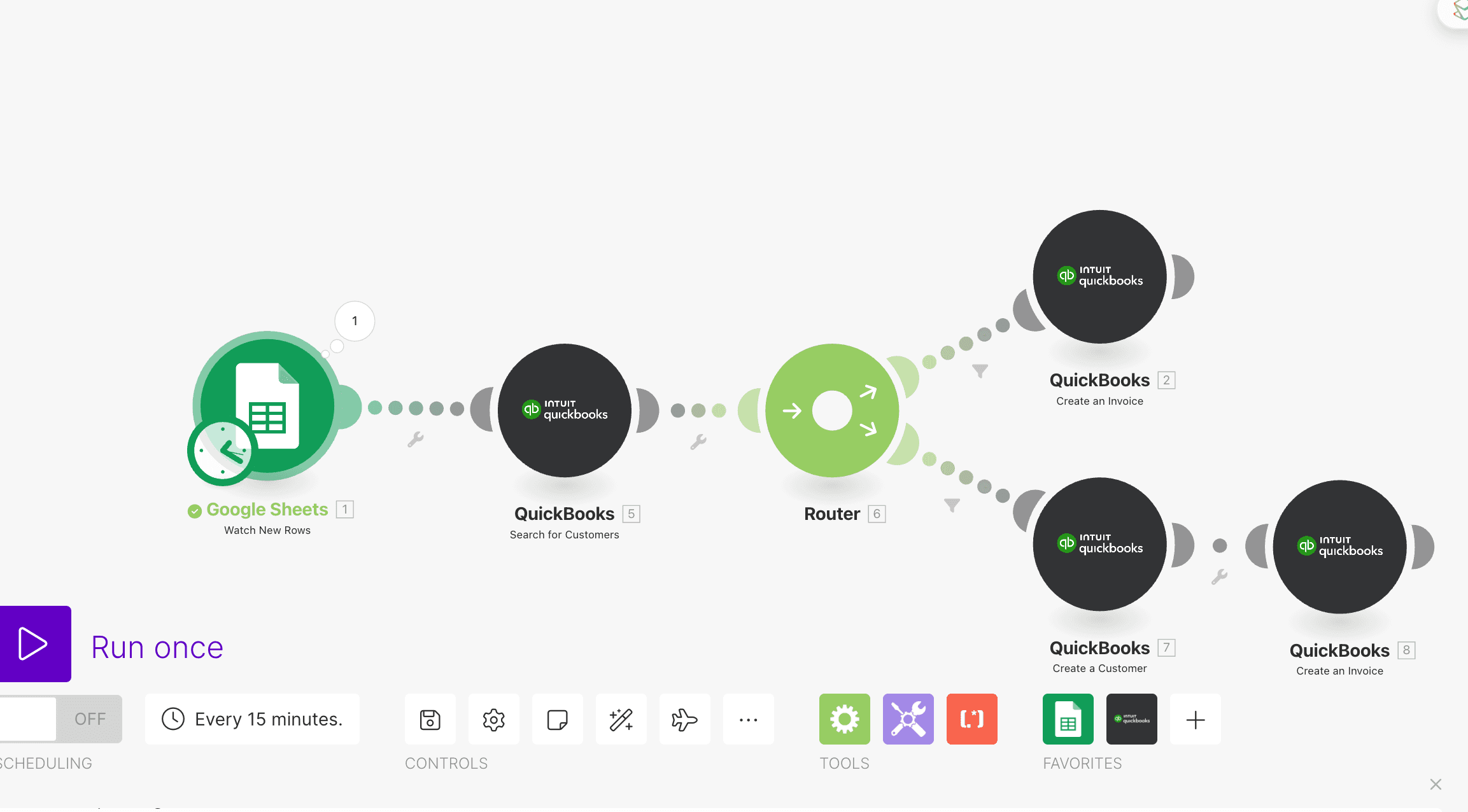
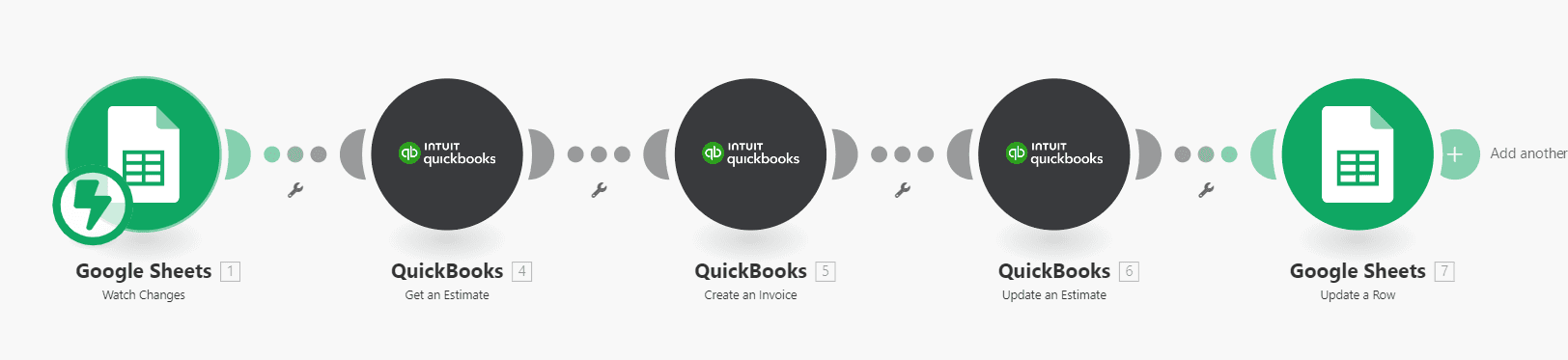
Watch the order sheet
New or changed rows in Google Sheets trigger the scenario on a 15-minute schedule.
Match or create the customer
QuickBooks is searched for the customer first. A router creates the customer when there is no match, so the invoice never fails on a missing record.
Create the invoice
Products, quantities and prices come from the sheet, so nobody retypes a line item.
Convert estimates
Approved estimates become invoices, the estimate is updated, and the invoice number is written back to the sheet.
Results
from closed deal to invoice
manual line-item entry
approved estimate invoiced
The Workflow
FAQ
What triggers an invoice?+
A new or changed row in the order sheet, checked every 15 minutes, or an approved estimate in QuickBooks Online.
What if the customer is not in QuickBooks yet?+
The scenario searches for the customer first and creates the record when there is no match, then creates the invoice.
Does it work with QuickBooks Desktop?+
This build uses the QuickBooks Online API. QuickBooks Desktop needs a different connector.