AI Voice Agent on VAPI + Make.com: Call, Check Availability, Book in GoHighLevel
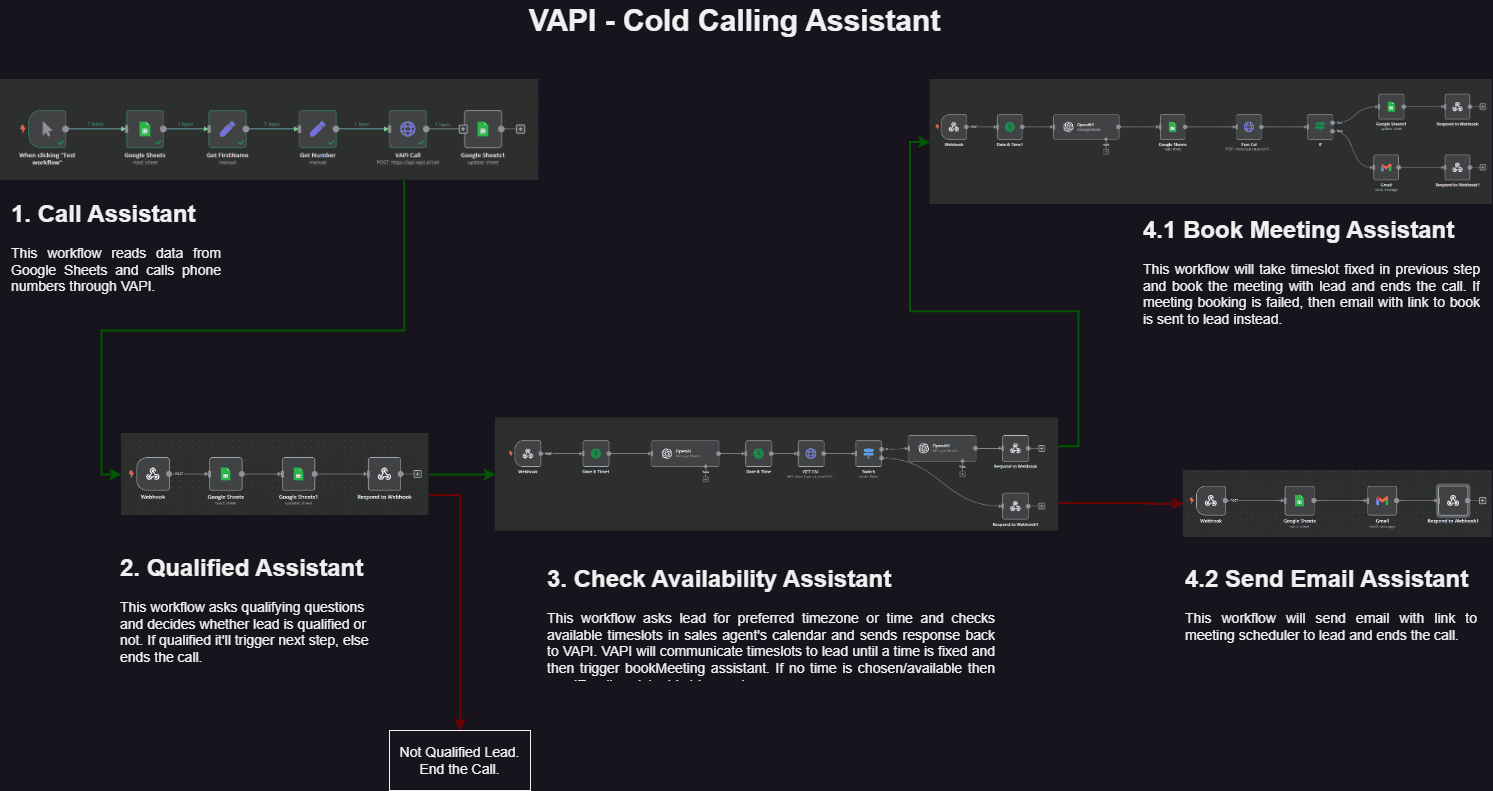
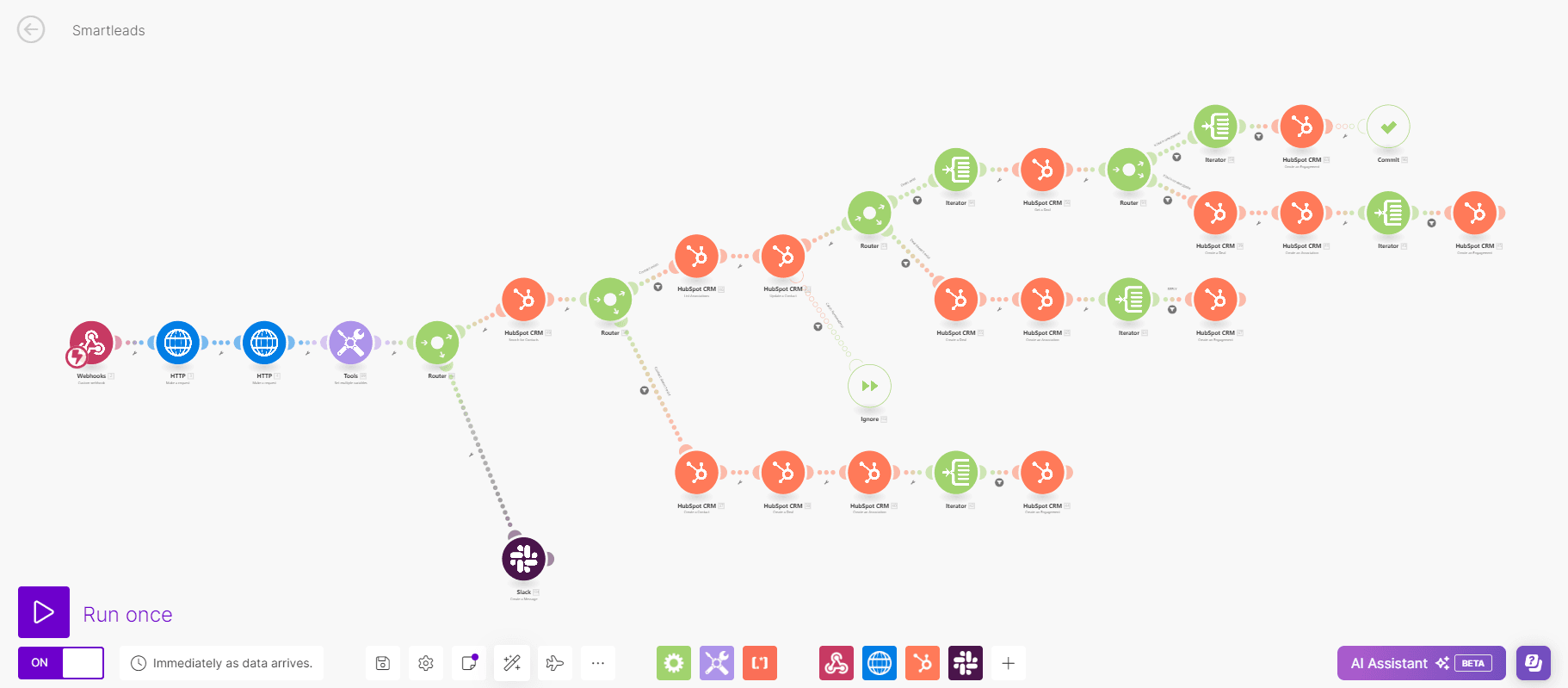
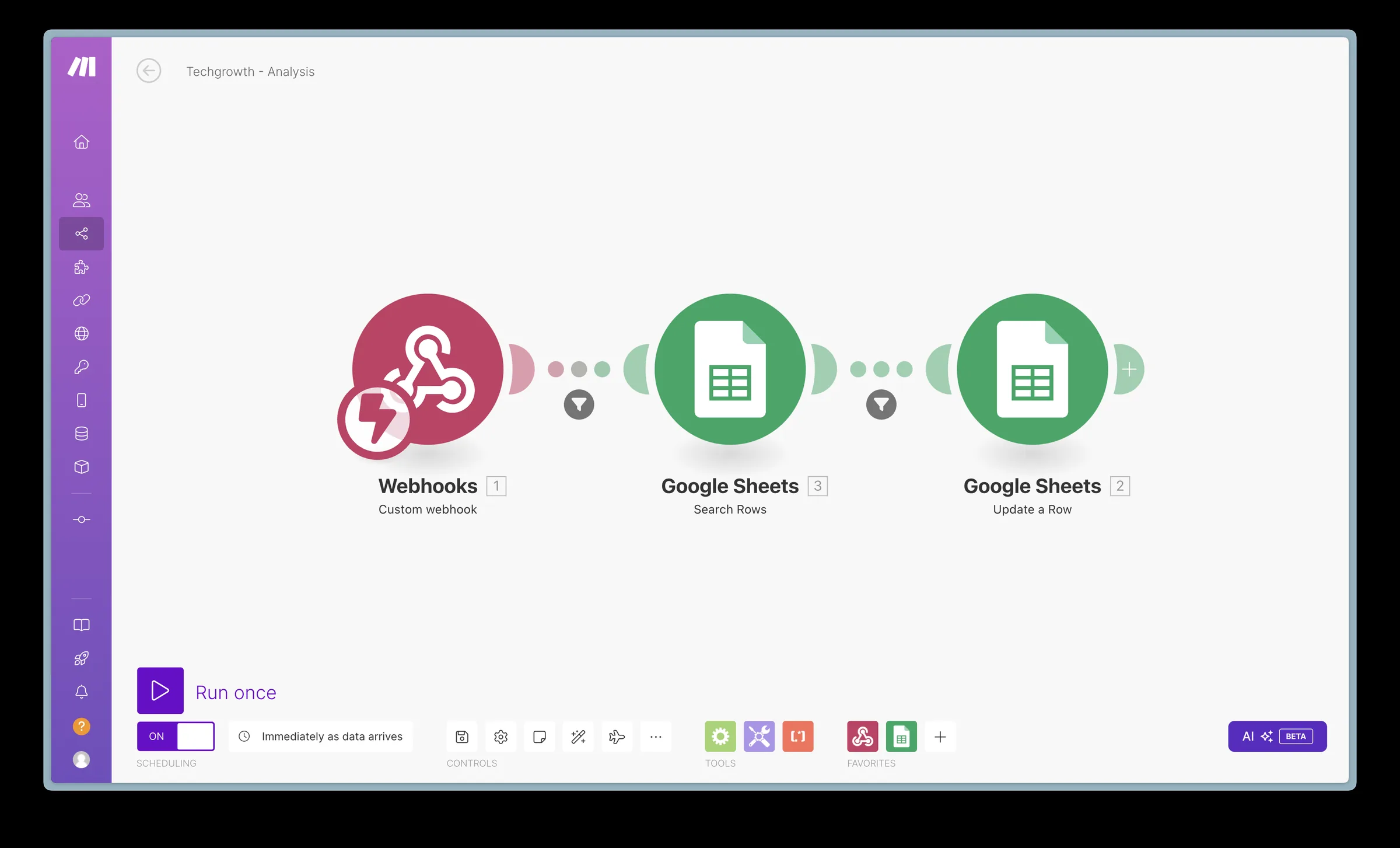
A VAPI voice agent calls each lead from a sheet, checks live availability mid-call, books the meeting straight into GoHighLevel, and sends a call analysis afterwards - four Make.com scenarios, one per job.
- ×Leads sat in a spreadsheet until a rep found time to call
- ×Several emails to agree on a meeting time
- ×No consistent record of what was said on each call
- ✓Scenario 1 places the outbound VAPI call
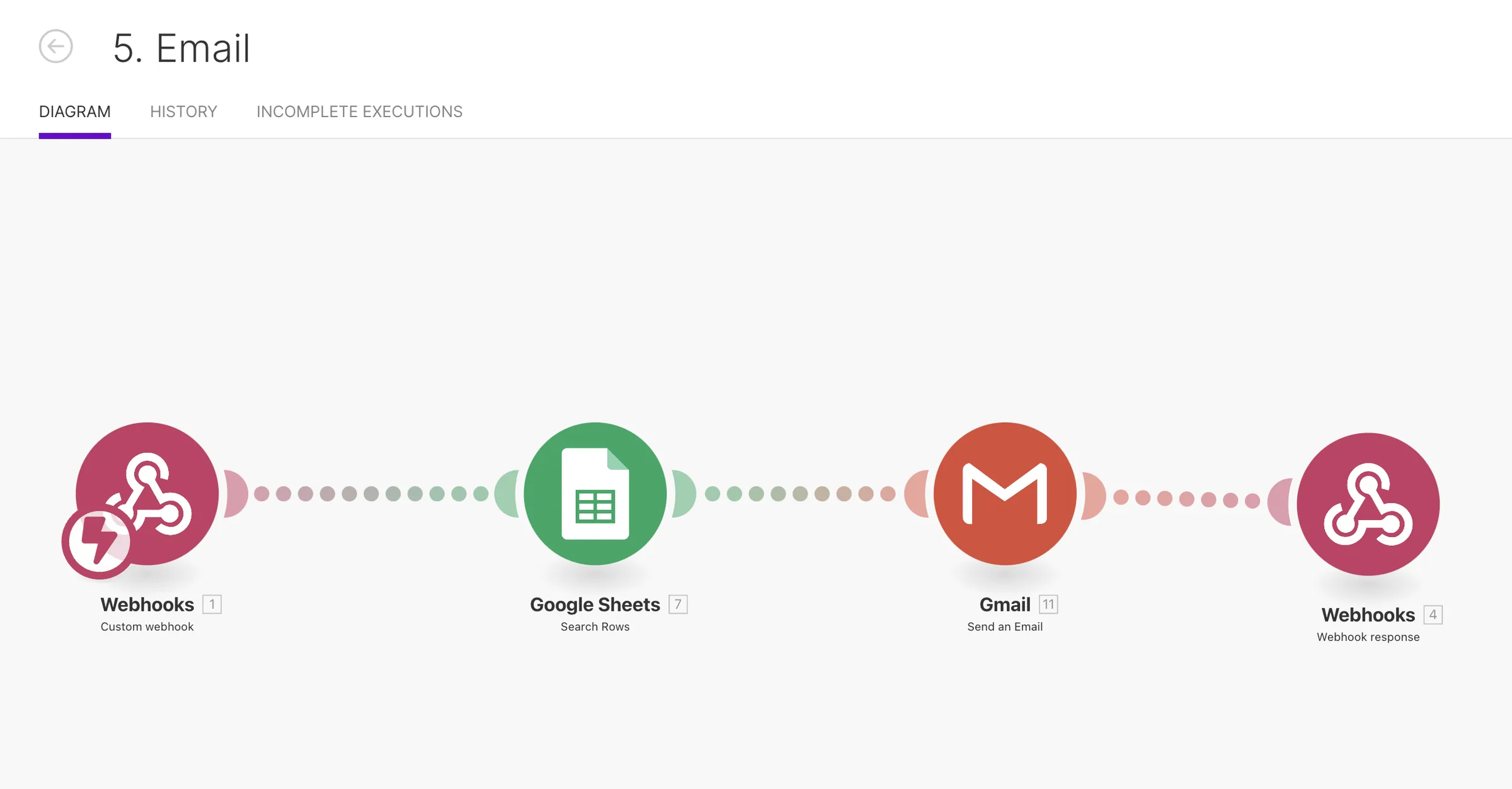
- ✓Scenario 2 fetches real availability during the call
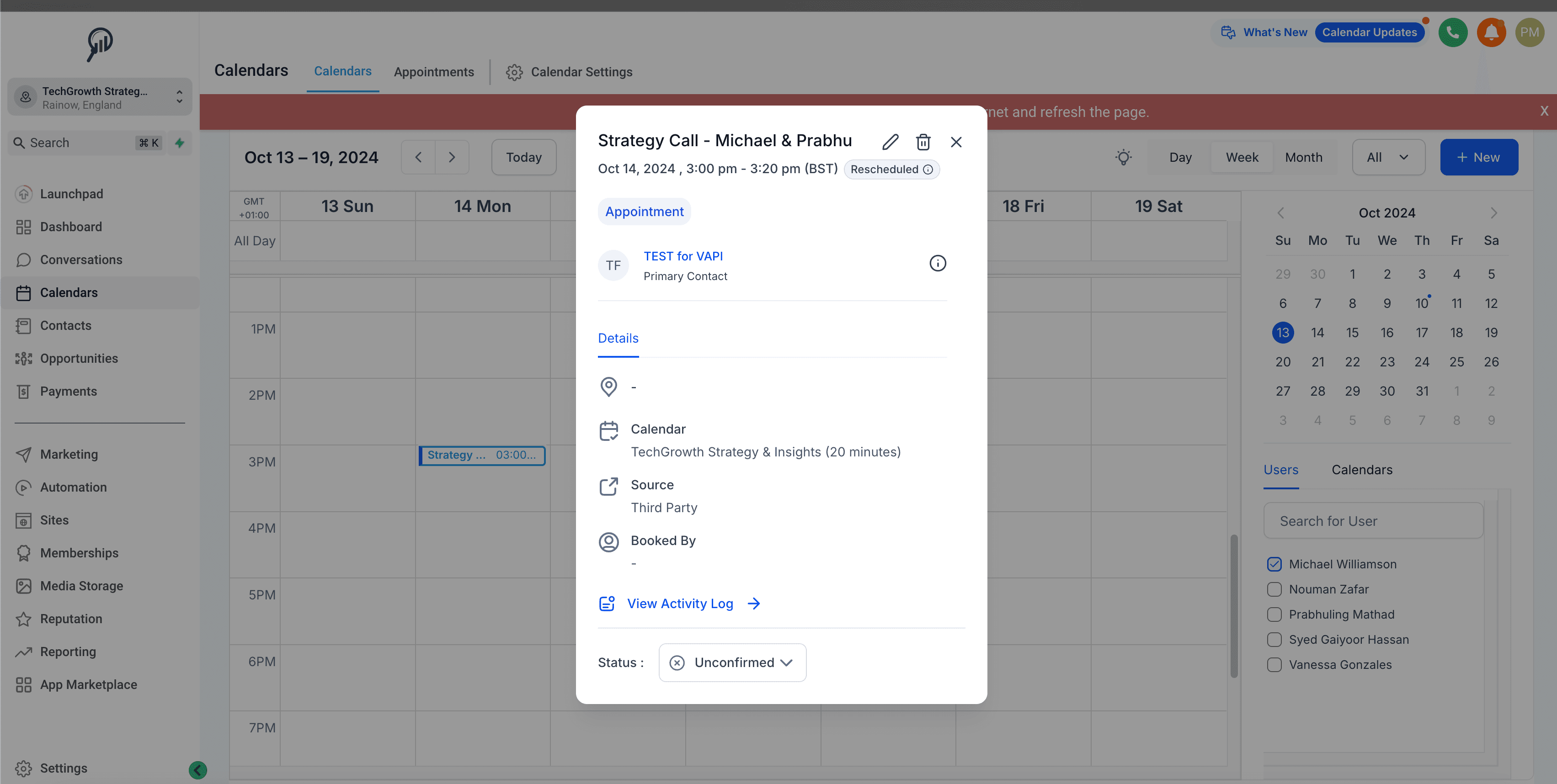
- ✓Scenario 3 books the slot, which appears in GoHighLevel
- ✓Scenario 4 sends the call analysis to the team
Stack
How It Works
Place the call
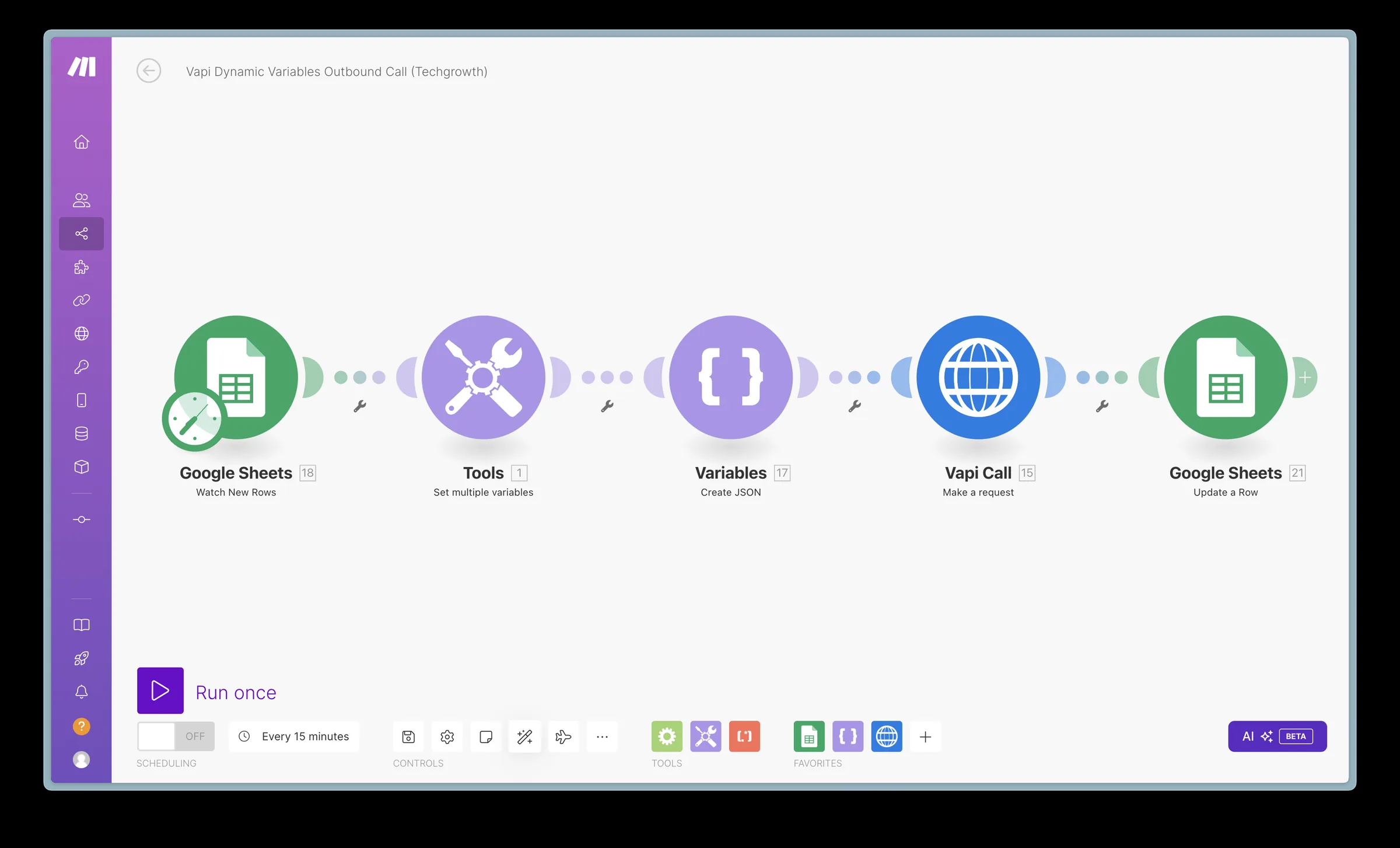
A new lead in Google Sheets triggers an outbound VAPI call with the lead's name and context.
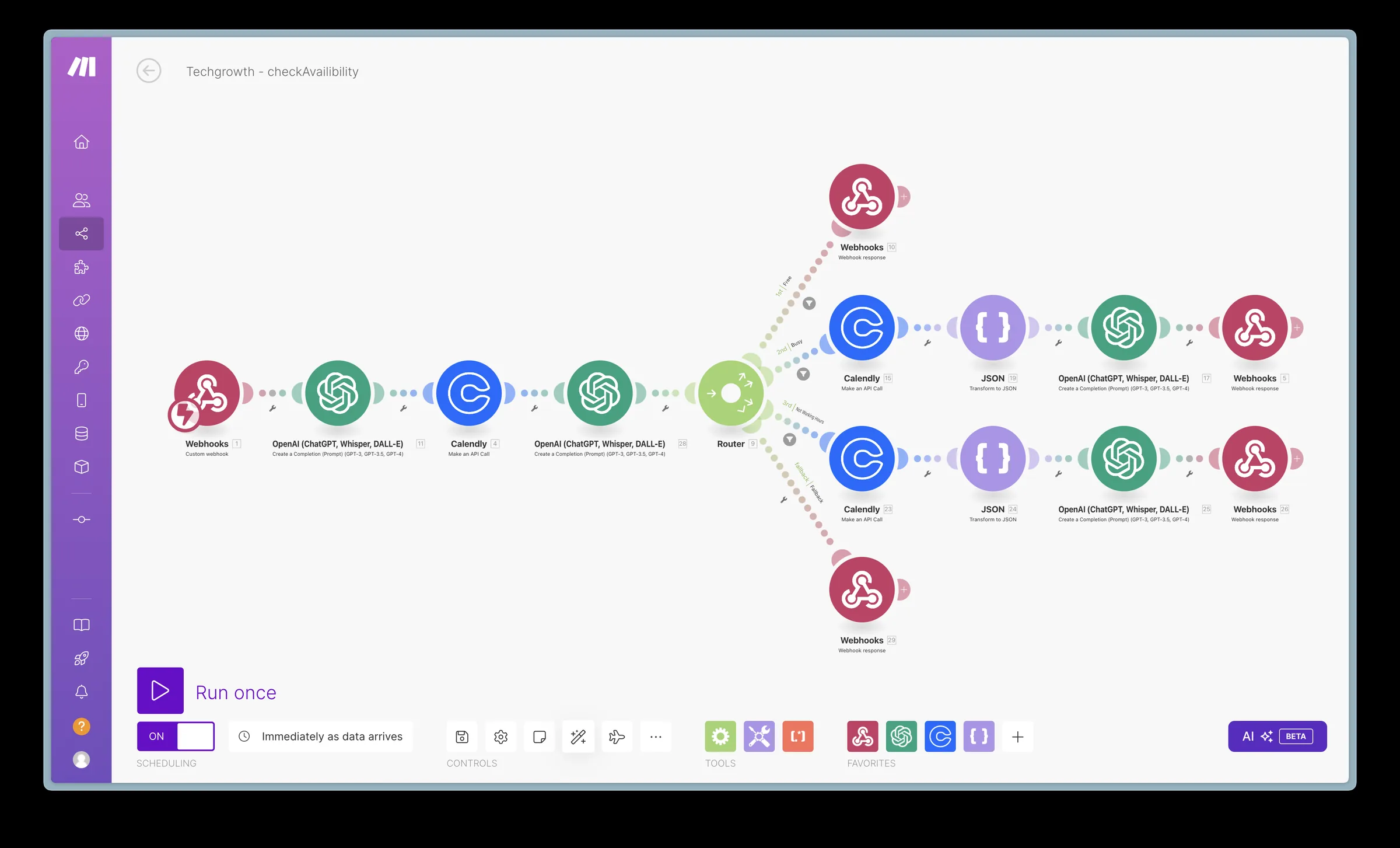
Fetch availability mid-call
When the lead is interested, the assistant calls a Make.com tool that returns the open slots on the calendar.
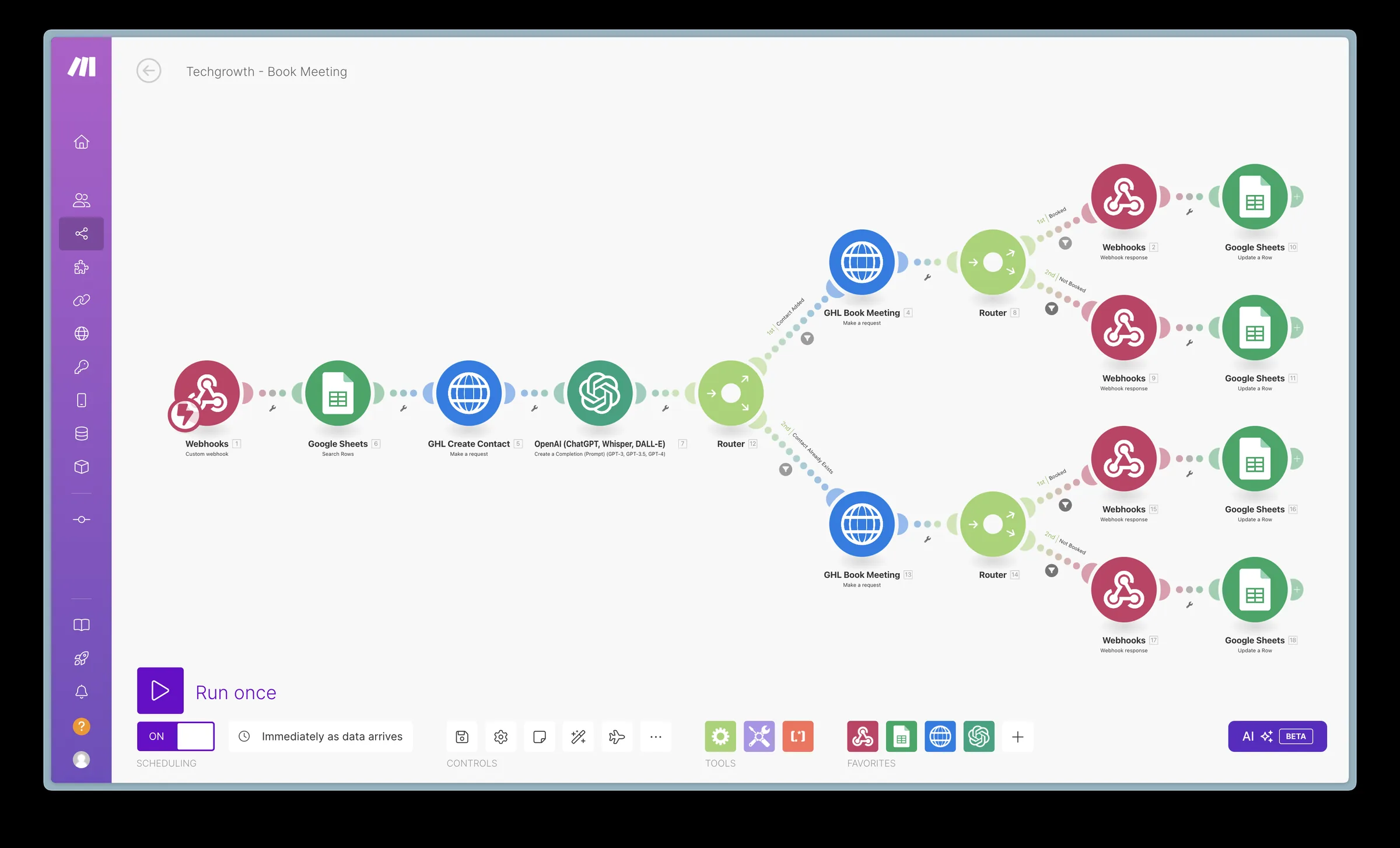
Book the meeting
The chosen slot is booked and shows up in GoHighLevel as an appointment, with confirmations to the lead and the rep.
Send the call analysis
At the end of the call, the summary, outcome and transcript are logged and sent to the team.
Results
availability checked during the call
focused Make.com scenarios
summarized and logged
“Great work... fast, efficient... diligent.”
 Michael · Tech Growth Insights
The Workflows
Outbound calling
- ✓Every new lead in the sheet is called within minutes
- ✓The assistant gets the lead's name and context, so the call opens personally
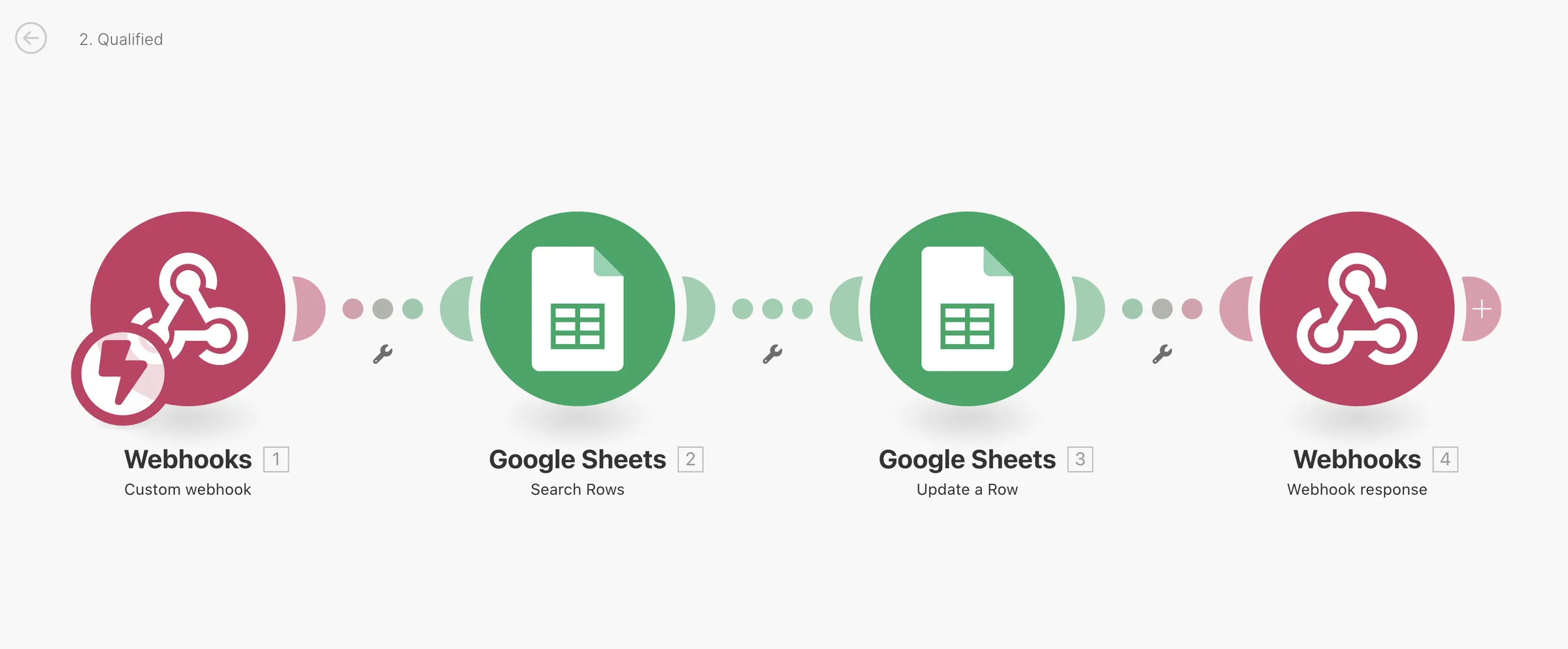
- ✓Qualifying answers are captured before a meeting is offered
Live availability and booking
- ✓Real calendar slots offered during the call, no email back-and-forth
- ✓Meetings land in GoHighLevel as booked appointments
- ✓The lead and the rep both get a confirmation
Post-call analysis and follow-up
- ✓Summary and outcome logged for every call
- ✓Leads who do not book on the call still get a scheduling email
- ✓The team reviews outcomes in the sheet instead of listening to recordings
FAQ
Which tools does it run on?+
VAPI for the voice assistant, four Make.com scenarios, Google Sheets for leads and call logs, Calendly for availability, and GoHighLevel for booked appointments.
How does the assistant check availability during a call?+
VAPI calls a Make.com webhook as a tool. The scenario reads open slots and returns them while the call is still live.
What if the lead does not book on the call?+
A fallback scenario emails a scheduling link, and the call outcome is logged for the team.
Can it run on n8n instead of Make.com?+
Yes. The n8n version, with lead qualification, is its own case study.