Outbound Reply Automation on Instantly, GMass and HubSpot: AI Categorization and CRM Routing
Replies from Instantly, GMass and other sending tools get an AI-assigned category the moment they land. Interested leads go straight to sales and into HubSpot or Pipedrive, and everything else is ignored or nurtured automatically.
- ×A person read every reply across several platforms
- ×Who to pursue, ignore or nurture decided by hand
- ×The CRM updated days later
- ✓AI labels each reply as it arrives
- ✓Interested leads go to sales and into HubSpot or Pipedrive, with a Slack alert
- ✓Not-interested replies closed, warm leads nurtured
- ✓Ambiguous replies flagged for a person
Stack
How It Works
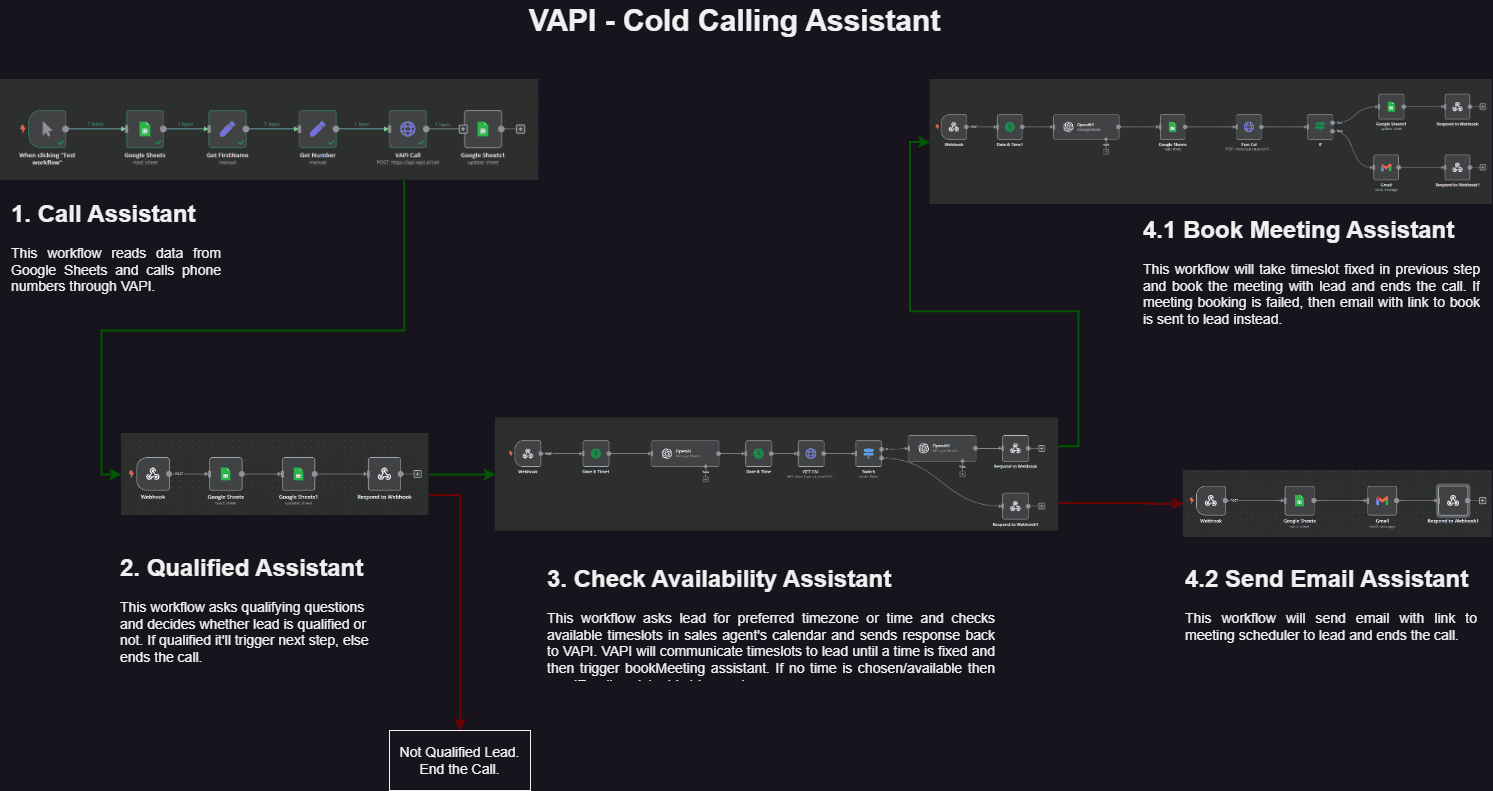
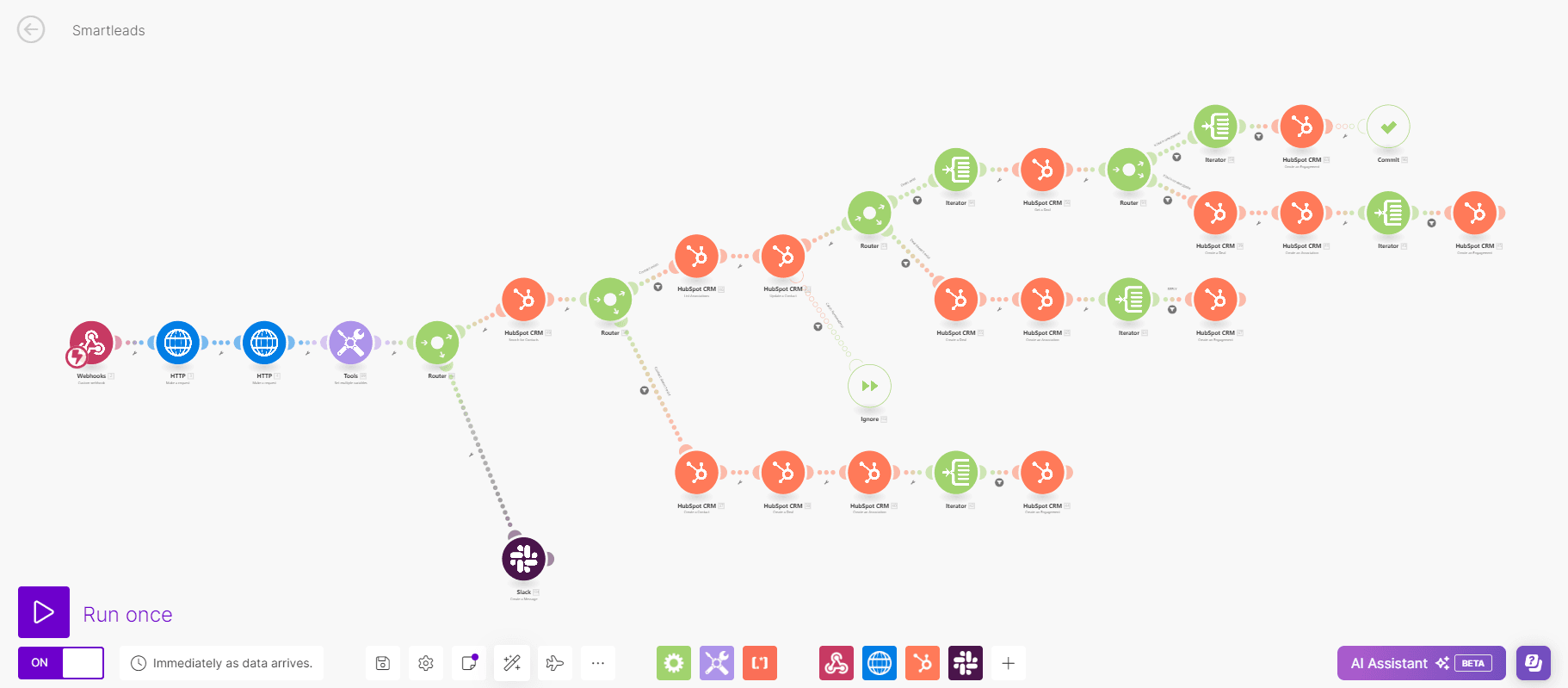
Catch the reply
Every new reply in Instantly, GMass or Gmail triggers the workflow in real time.
AI categorizes it
The reply is labeled Interested, Meeting Request, Warm, Cold, DNC or Not Interested based on its content.
Route by category
Interested leads go to sales, Not Interested is closed, Warm is added to a nurture sub-campaign.
Flag the edge cases
Ambiguous replies go to a person for review instead of being forced into a category.
Sync to the CRM
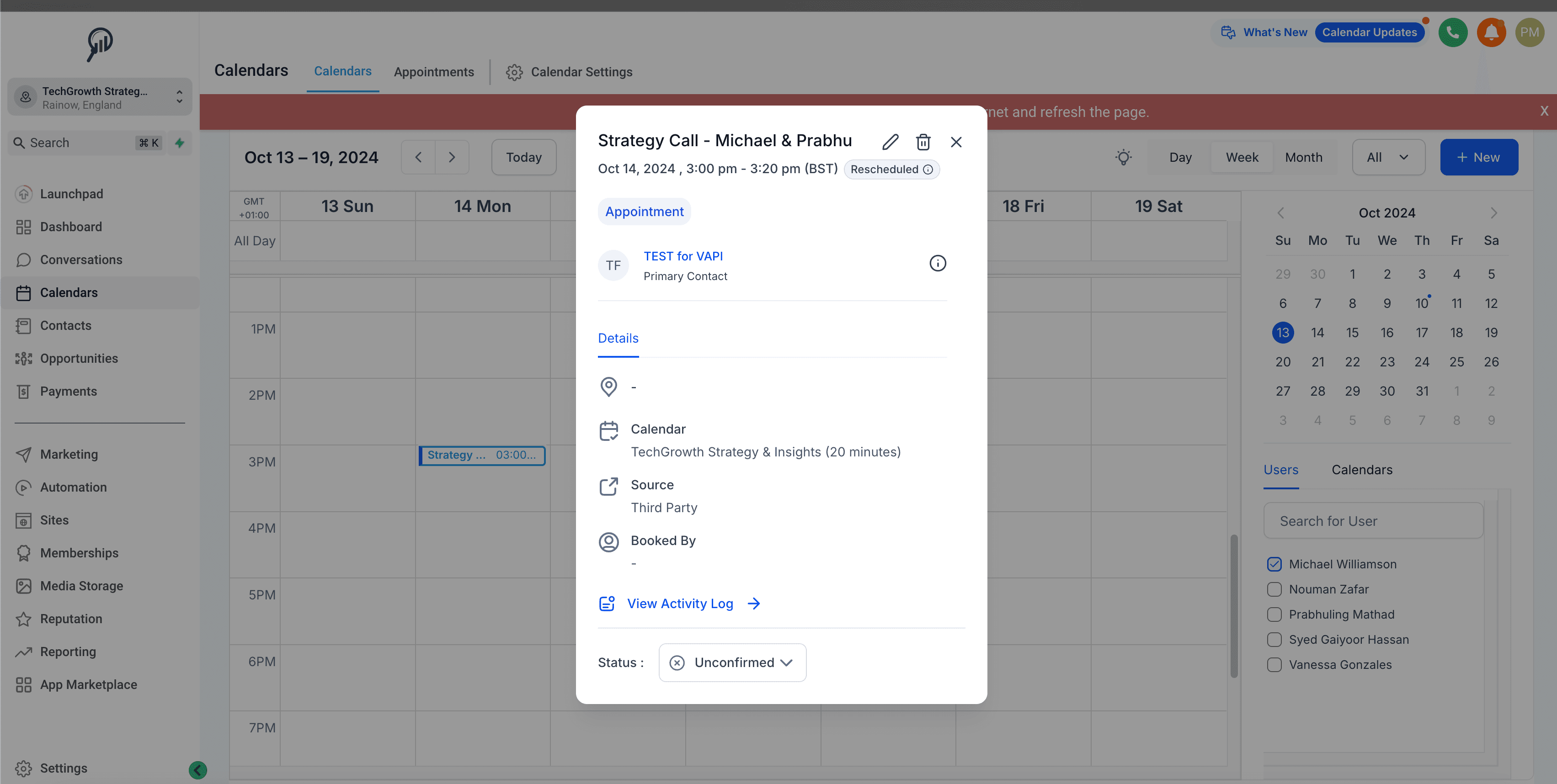
Qualified leads are created or updated in HubSpot or Pipedrive, and the team gets a Slack alert.
Results
reply classification
AI-assigned categories
manual inbox triage
The Workflows
Instantly
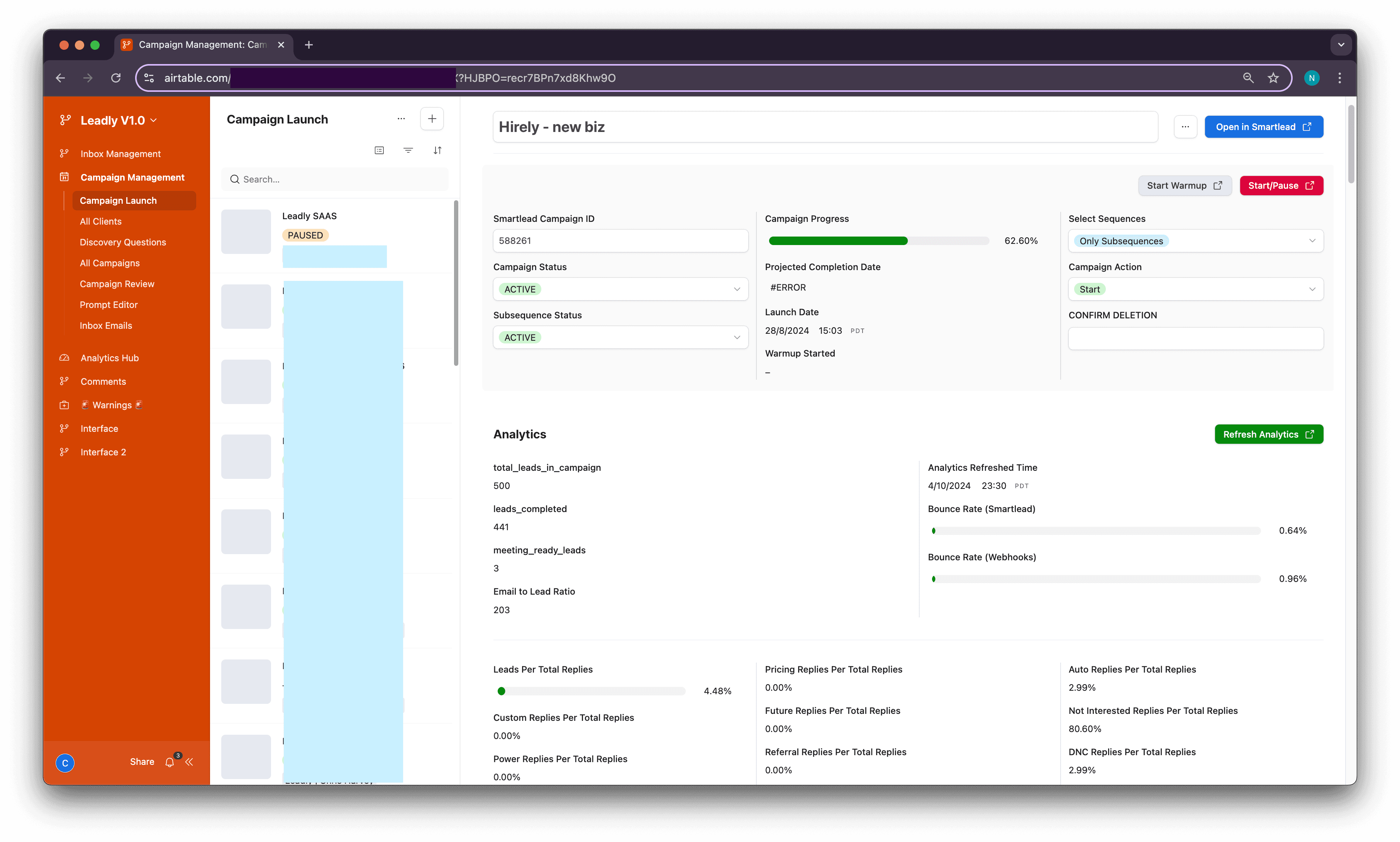
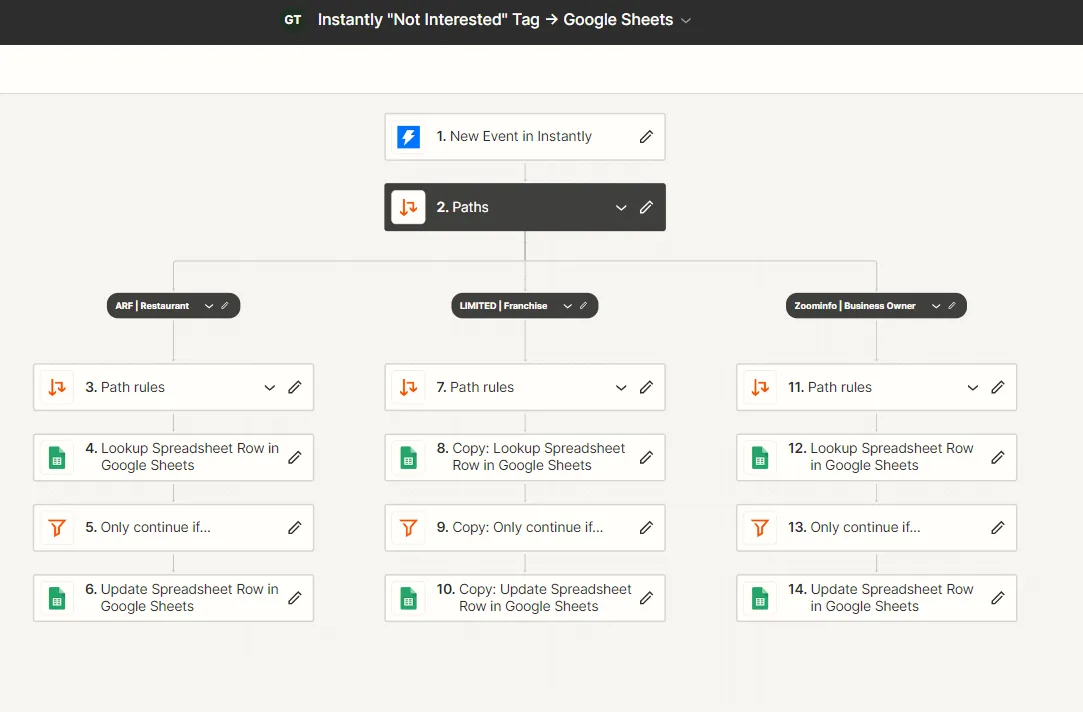
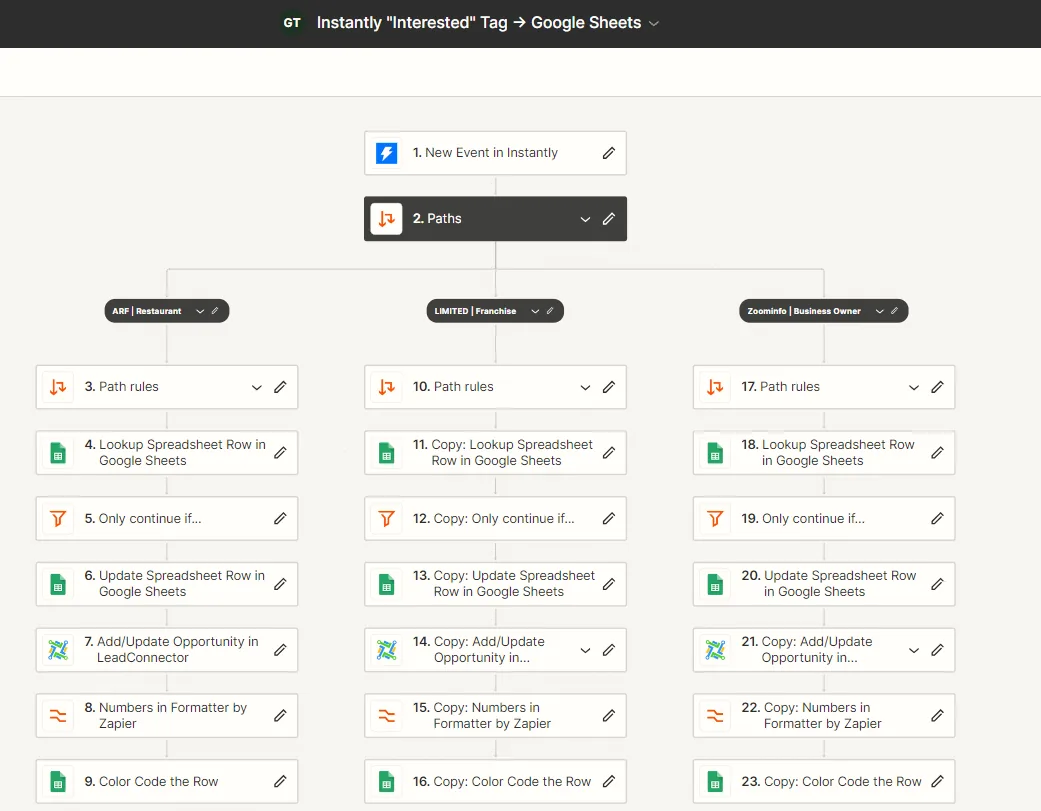
- ✓Interested and not-interested replies are routed per campaign
- ✓Opportunities are created in HighLevel automatically
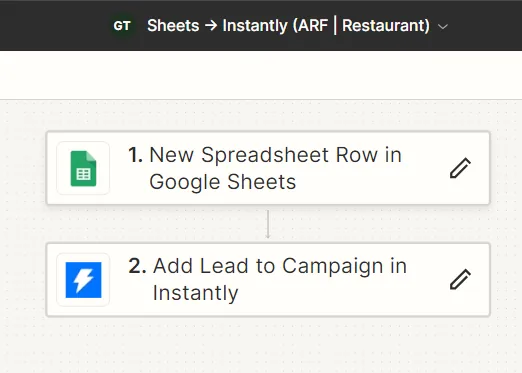
- ✓New sheet rows become Instantly leads without uploads
GMass
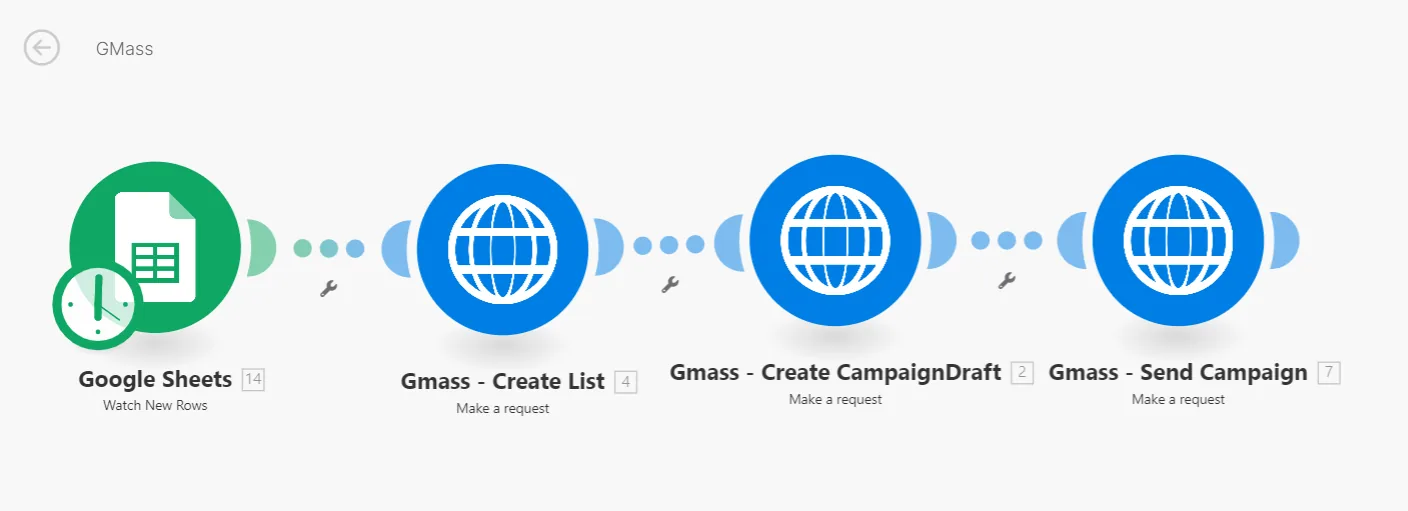
- ✓A sheet of leads becomes a list, a draft and a sent campaign in one run
- ✓No manual list uploads or copy-paste between tools
CRM and team alerts
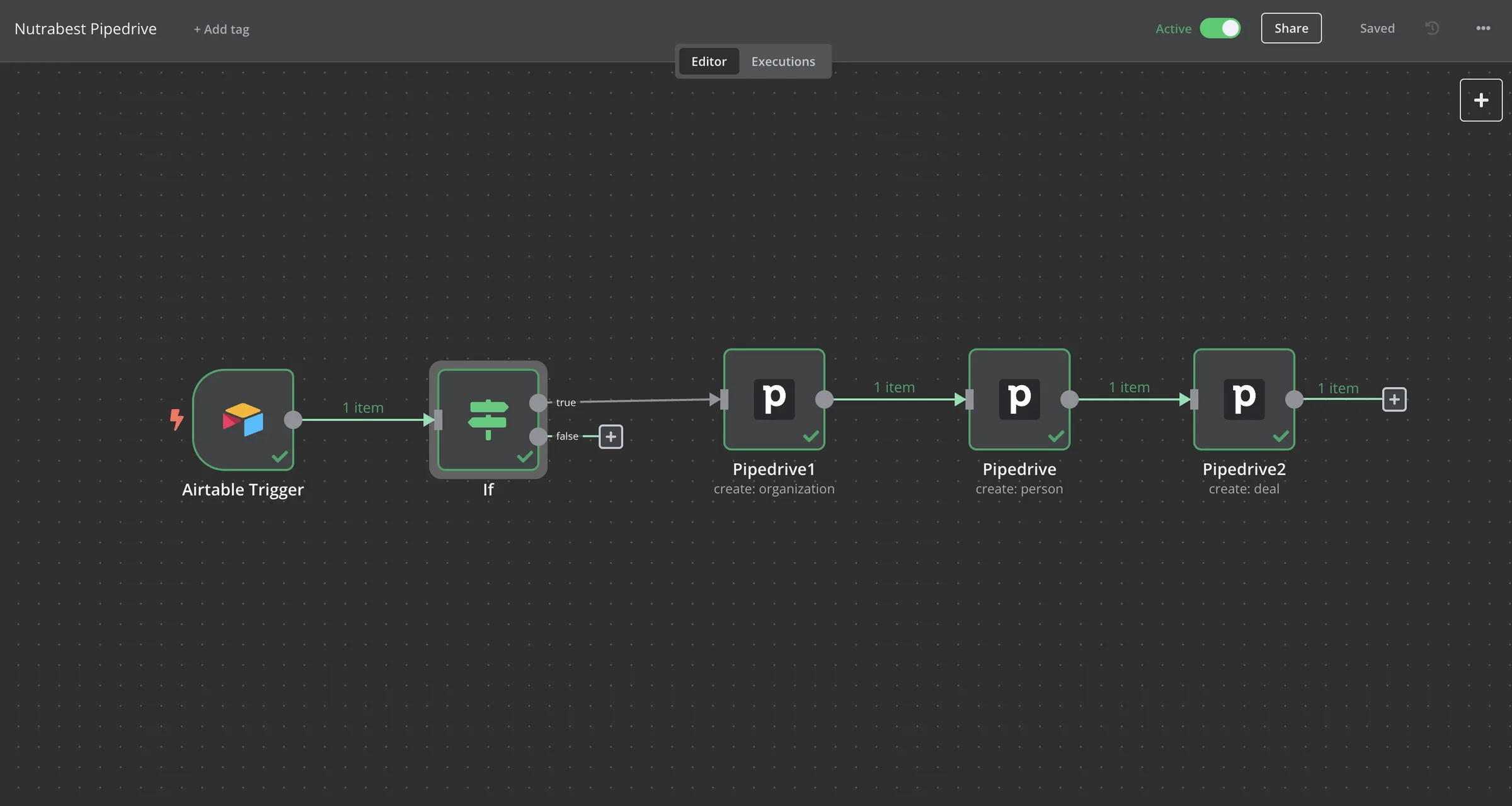
- ✓Interested replies create the Pipedrive organization, person and deal
- ✓Qualified leads are created or updated in HubSpot
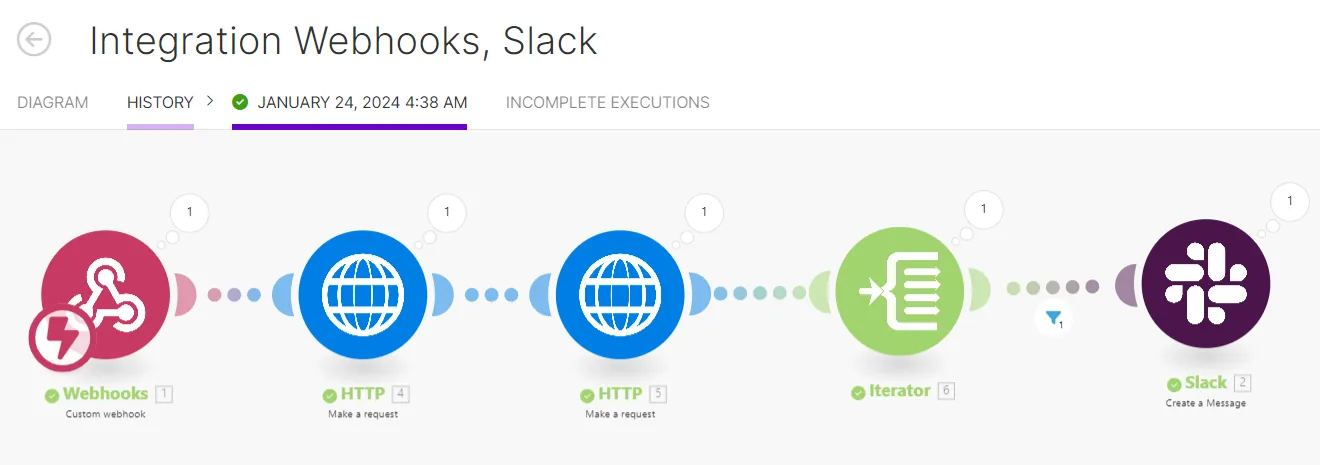
- ✓Positive replies post to Slack in real time
FAQ
Which categories are used?+
Interested, Meeting Request, Warm, Cold, DNC and Not Interested.
Which CRMs does it update?+
HubSpot, Pipedrive and HighLevel in these builds. Any CRM with an API can be added.
What happens with replies that are hard to classify?+
They are flagged for a person instead of being forced into a category.