Marketing Analytics Pipeline Automation: Campaign Data to Airtable Dashboards
Campaign analytics flow from Smartlead and Instantly into Airtable on a schedule, feeding daily and weekly client dashboards that are always current - no manual exports.
Before
- ×Logging into Smartlead or Instantly every week
- ×Analytics exported by hand
- ×Reports formatted into a dashboard manually
After
- ✓Campaign analytics fetched on a schedule or with a button
- ✓Written into Airtable automatically
- ✓Daily and weekly dashboards per client in Airtable Interfaces
Stack
Make.comn8nAirtableSmartleadInstantly
How It Works
1
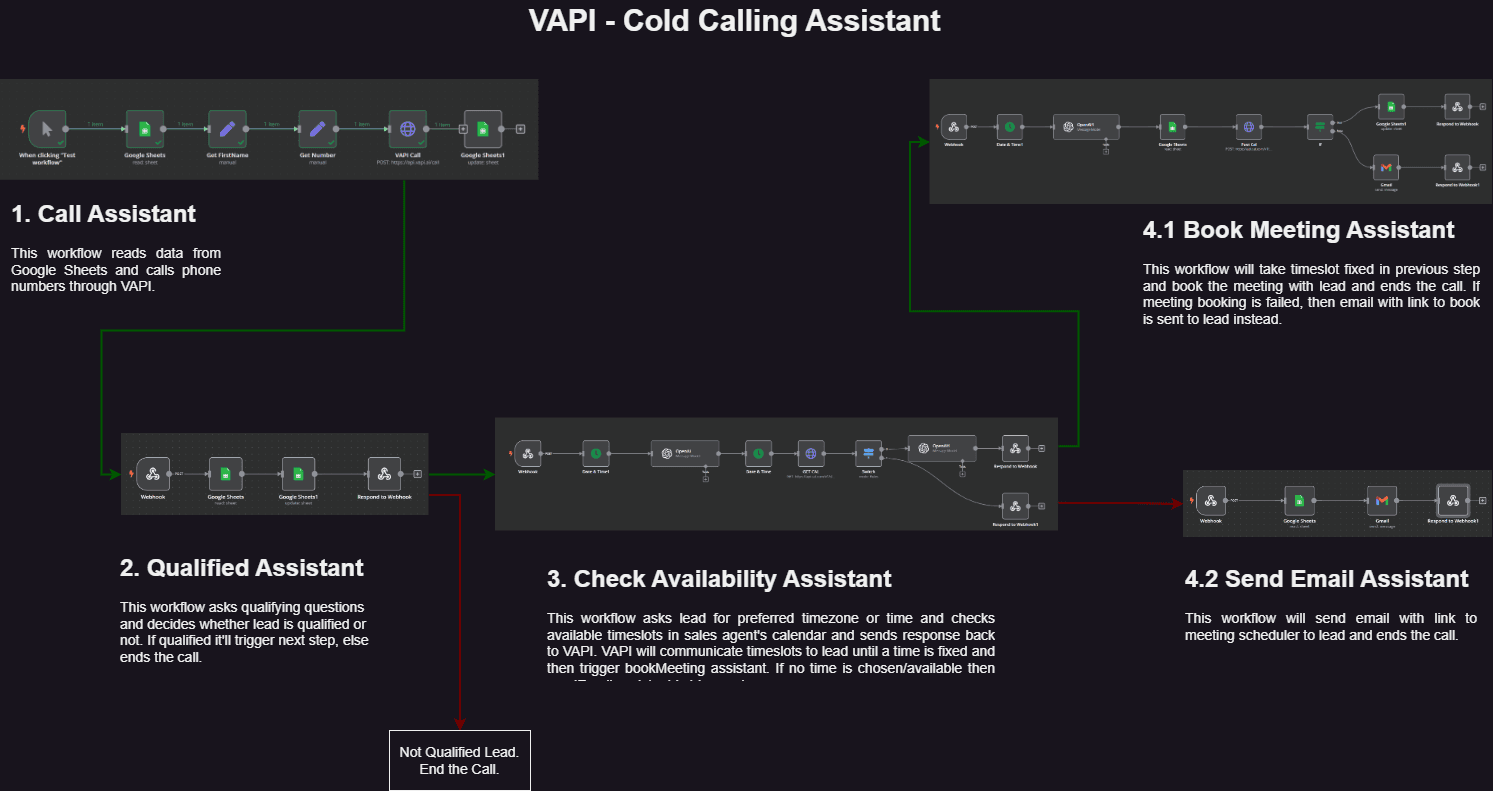
Pull analytics on schedule
Campaign performance data is fetched from Smartlead and Instantly automatically.
2
Write to Airtable
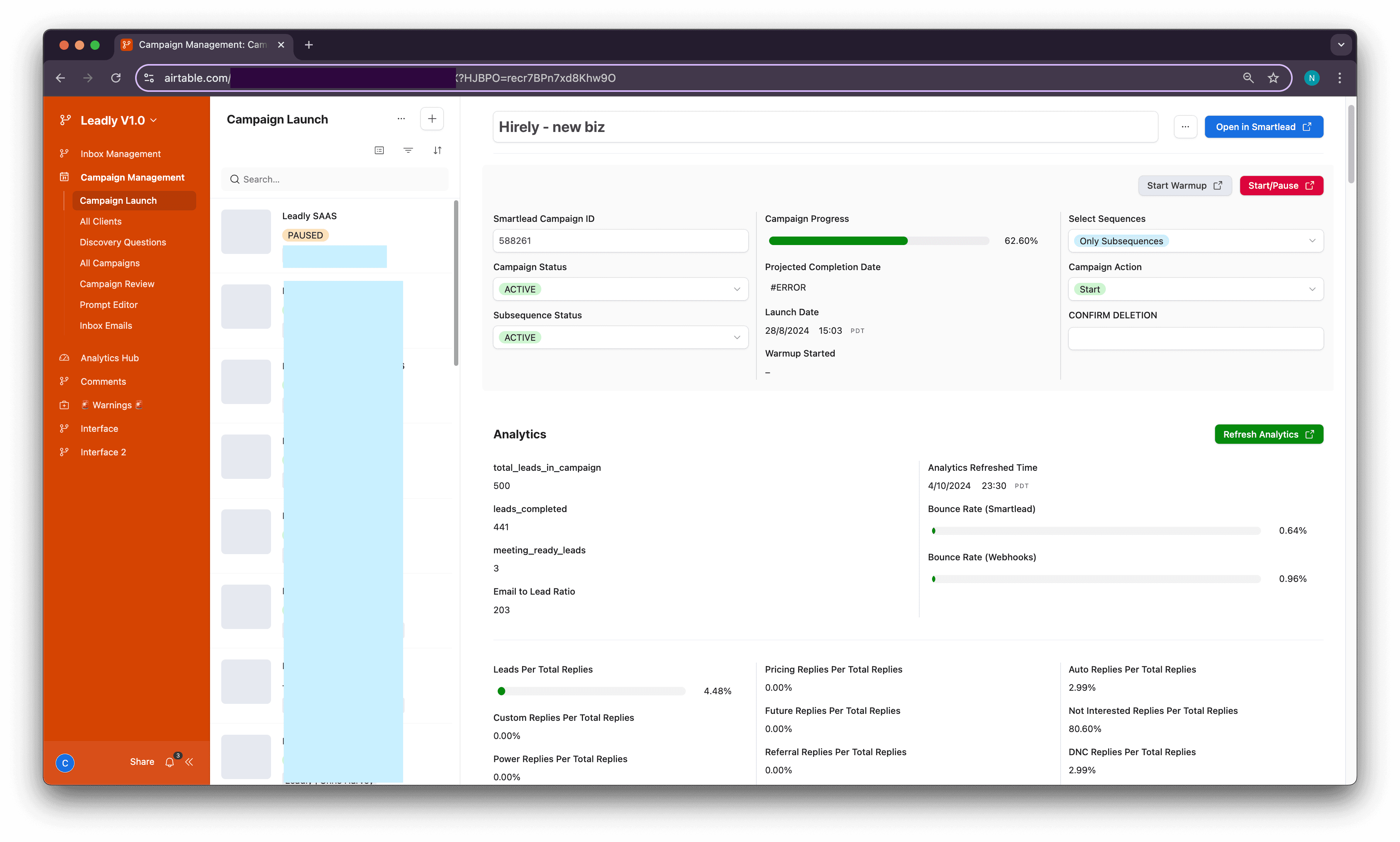
Sent, replies, bounces and positive-reply metrics update in the reporting base.
3
Refresh on demand
A refresh button lets the client or account manager force an update mid-cycle.
4
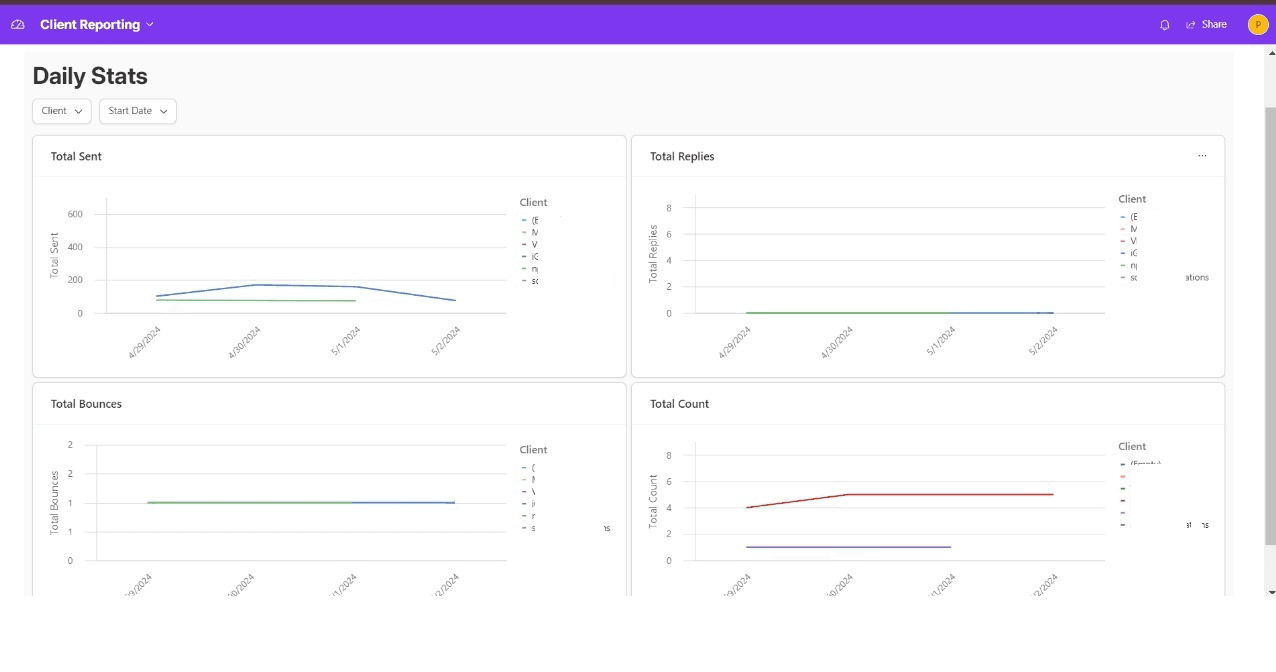
Daily and weekly dashboards
Each client sees their own filtered daily and weekly views without any manual report building.
Results
Daily
automatic refresh, no manual export
Per-client
filtered dashboards
Weekly
roll-up for reviews
The Workflows
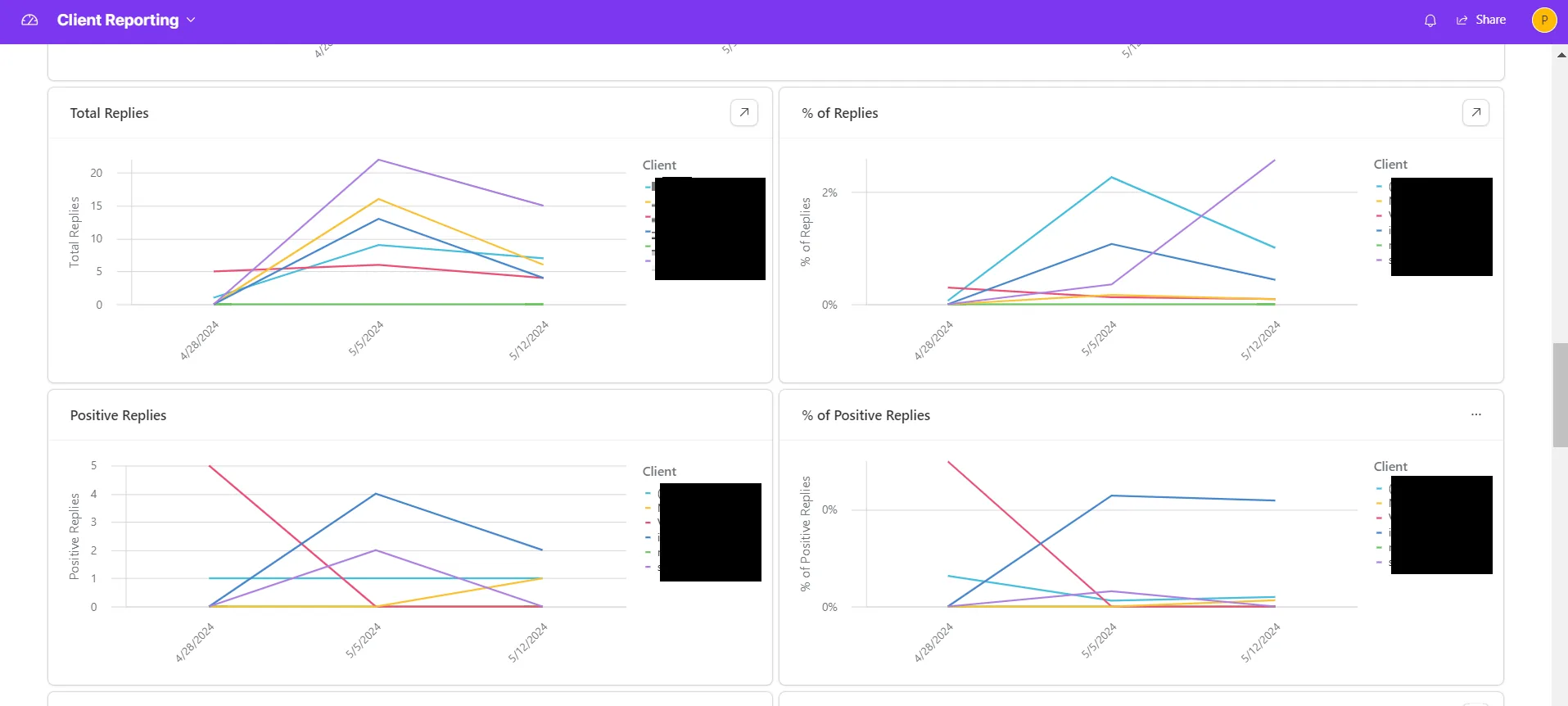
Client dashboards
- ✓Daily and weekly views per client in Airtable Interfaces
- ✓Replies, positive replies, bounces and sends on one screen
The data pipeline
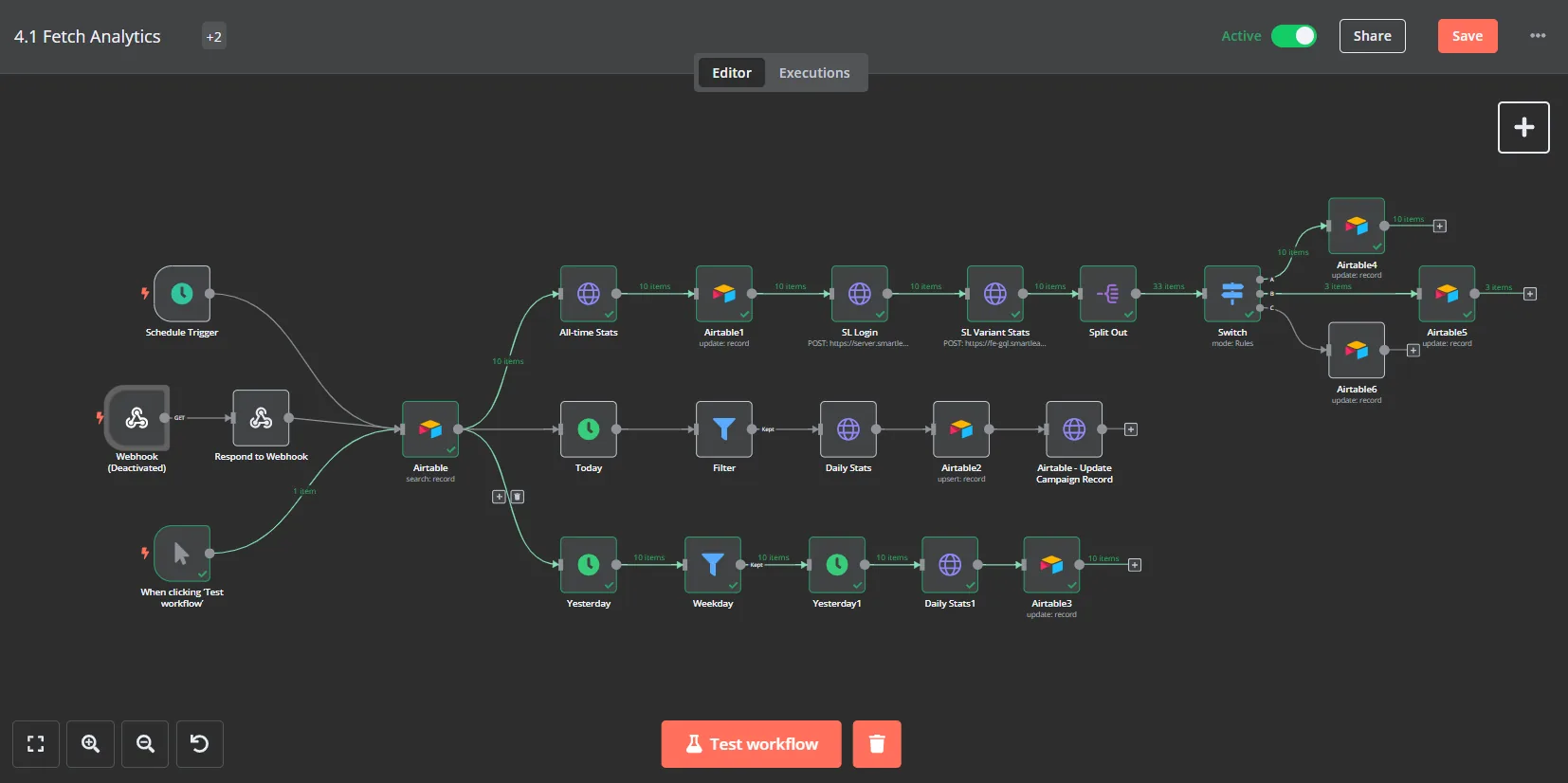
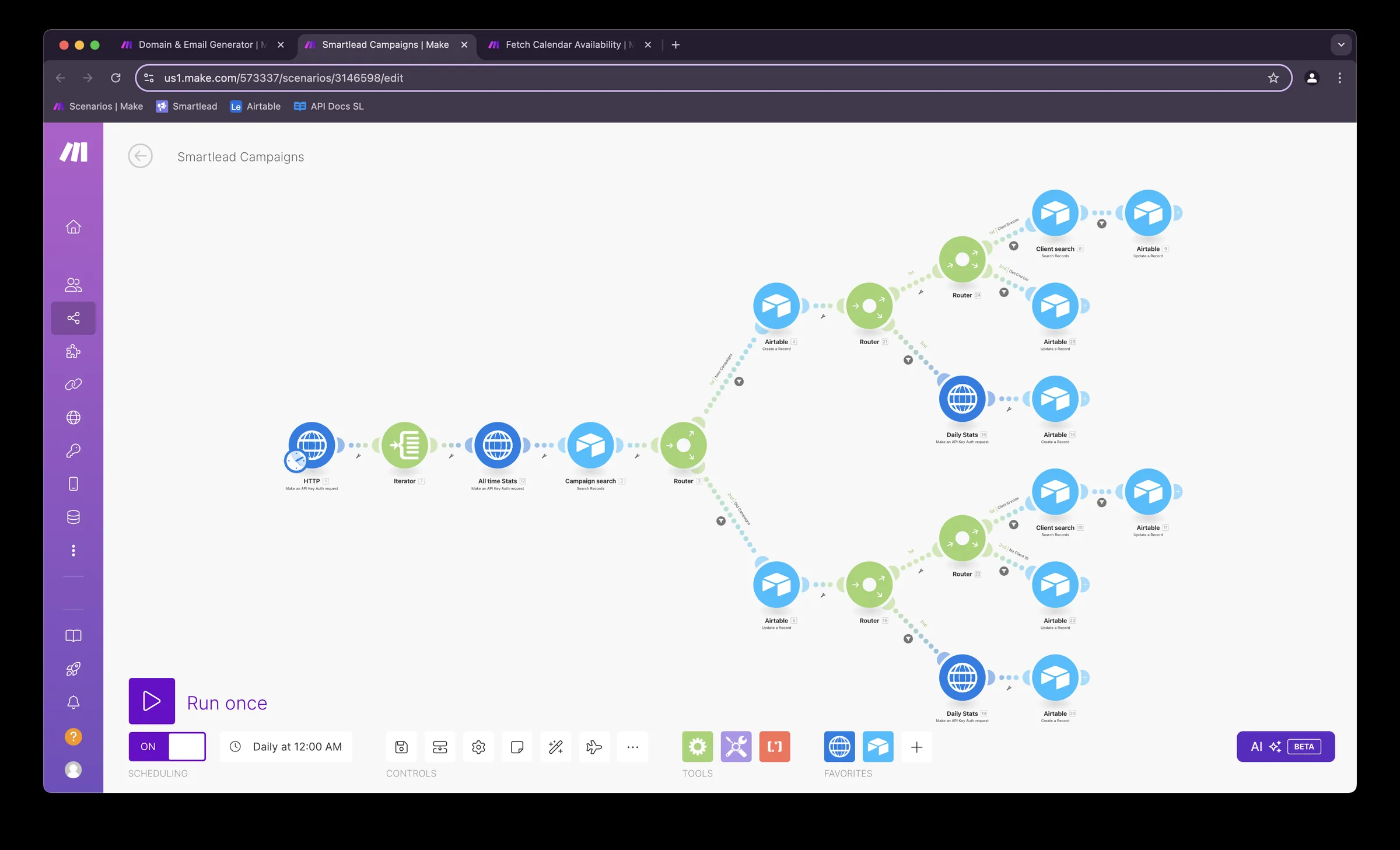
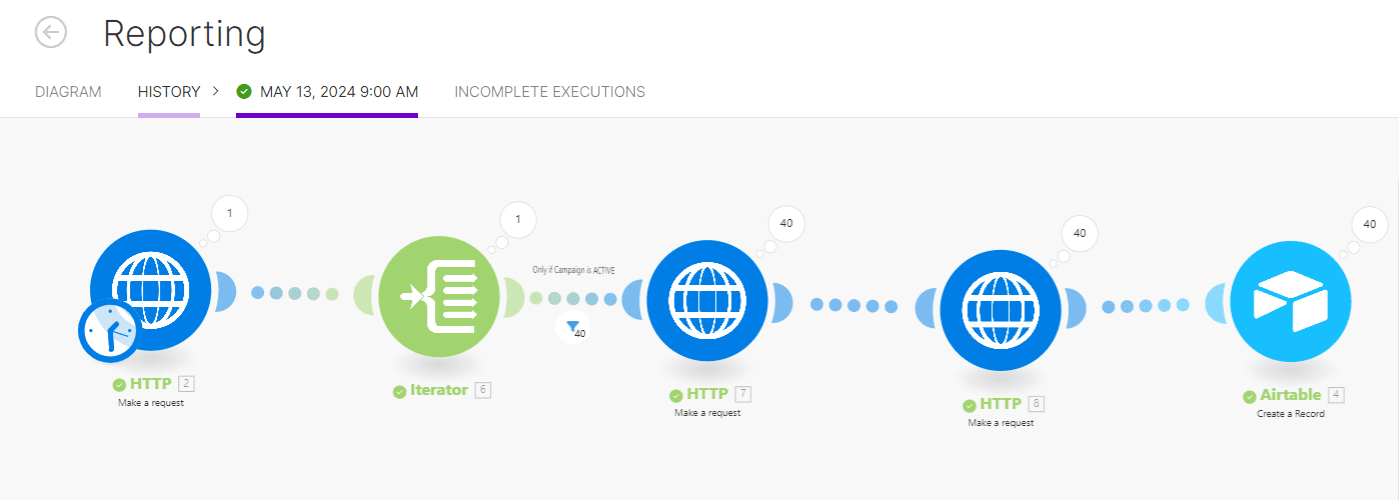
- ✓Campaign analytics fetched from Smartlead and Instantly on a schedule
- ✓Built in both n8n and Make.com
- ✓A refresh button for mid-cycle updates
FAQ
Which platforms does it pull from?+
Smartlead and Instantly, through their APIs.
How fresh is the data?+
It refreshes daily, and a button triggers an update at any time.
Can each client see only their own data?+
Yes. Each client gets a filtered view in Airtable Interfaces.