Pitch Deck Intake for a VC Firm: Startup Emails to Google Drive and the CRM
Startups email their pitch decks in every format imaginable. Each one is now saved to the right Google Drive folder and logged in the CRM automatically, so the investment team reviews deals instead of sorting attachments.
- ×Decks arrived as PDFs, PowerPoint, Keynote, links and images in one inbox
- ×An analyst downloaded, renamed and filed each one
- ×Startups typed into the CRM by hand
- ×Decks regularly lost in the inbox
- ✓Founder emails trigger the workflow, whatever the format
- ✓A Drive folder per startup, decks saved with a consistent name
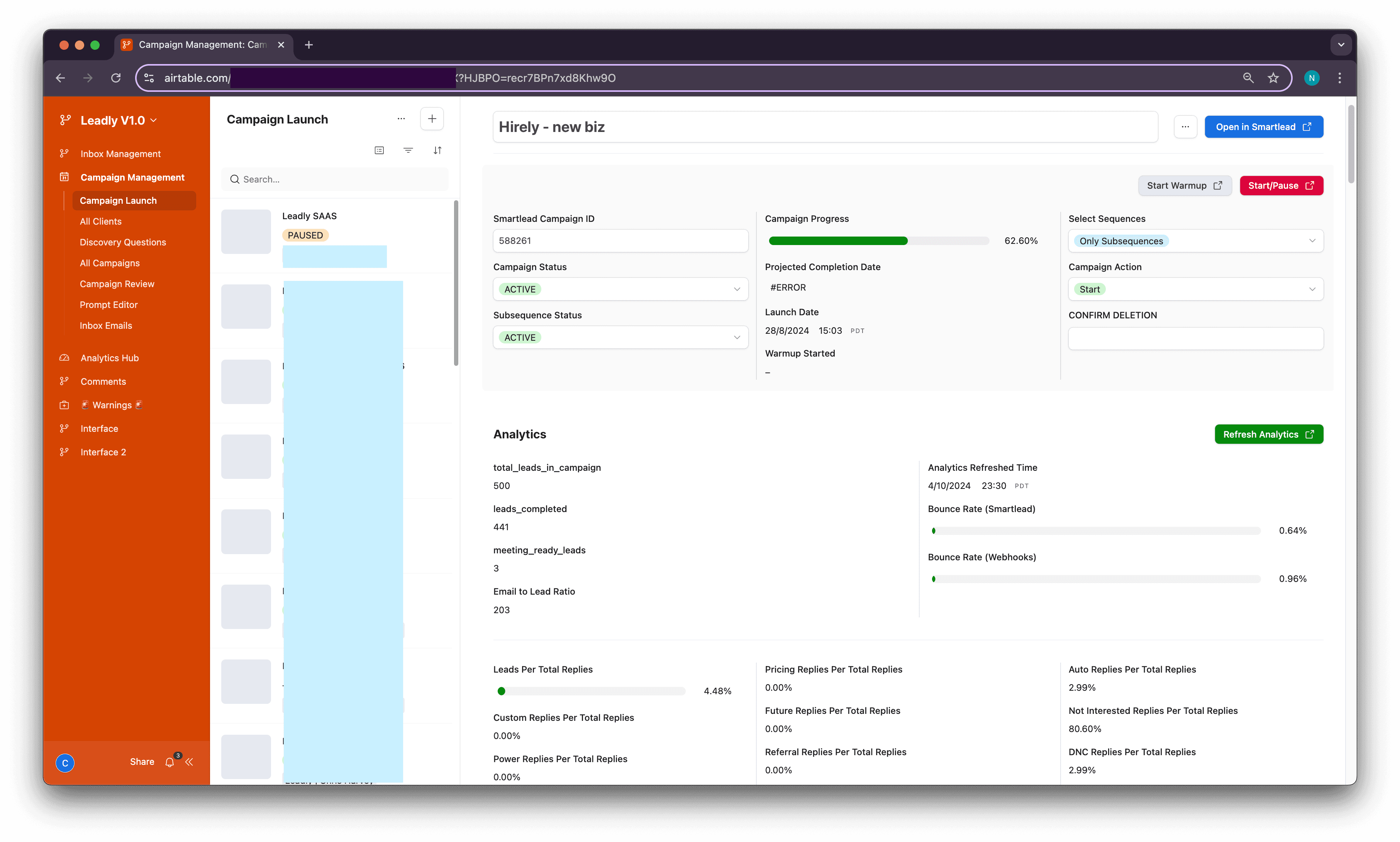
- ✓Company created or updated in the Airtable CRM with a folder link
- ✓Emails, meetings and Fathom notes logged against the company
Stack
How It Works
Catch the pitch email
New emails with pitch decks trigger the workflow from the shared inbox.
Handle every format
PDF, PPTX, Keynote, Docs links and images are each routed to the right save step.
File in Drive
A folder per startup is found or created and the deck is saved with a consistent name.
Log in the CRM
The startup is created or updated in the Airtable CRM with a link to the Drive folder.
Keep the history together
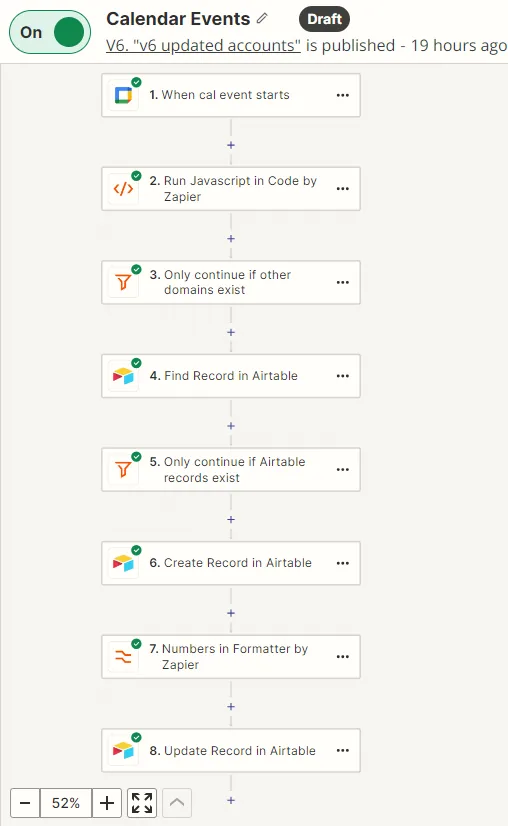
Founder emails, calendar meetings and Fathom meeting notes are logged against the same company record.
Results
file format handled
decks downloaded by hand
per startup, linked from the CRM
The Workflows
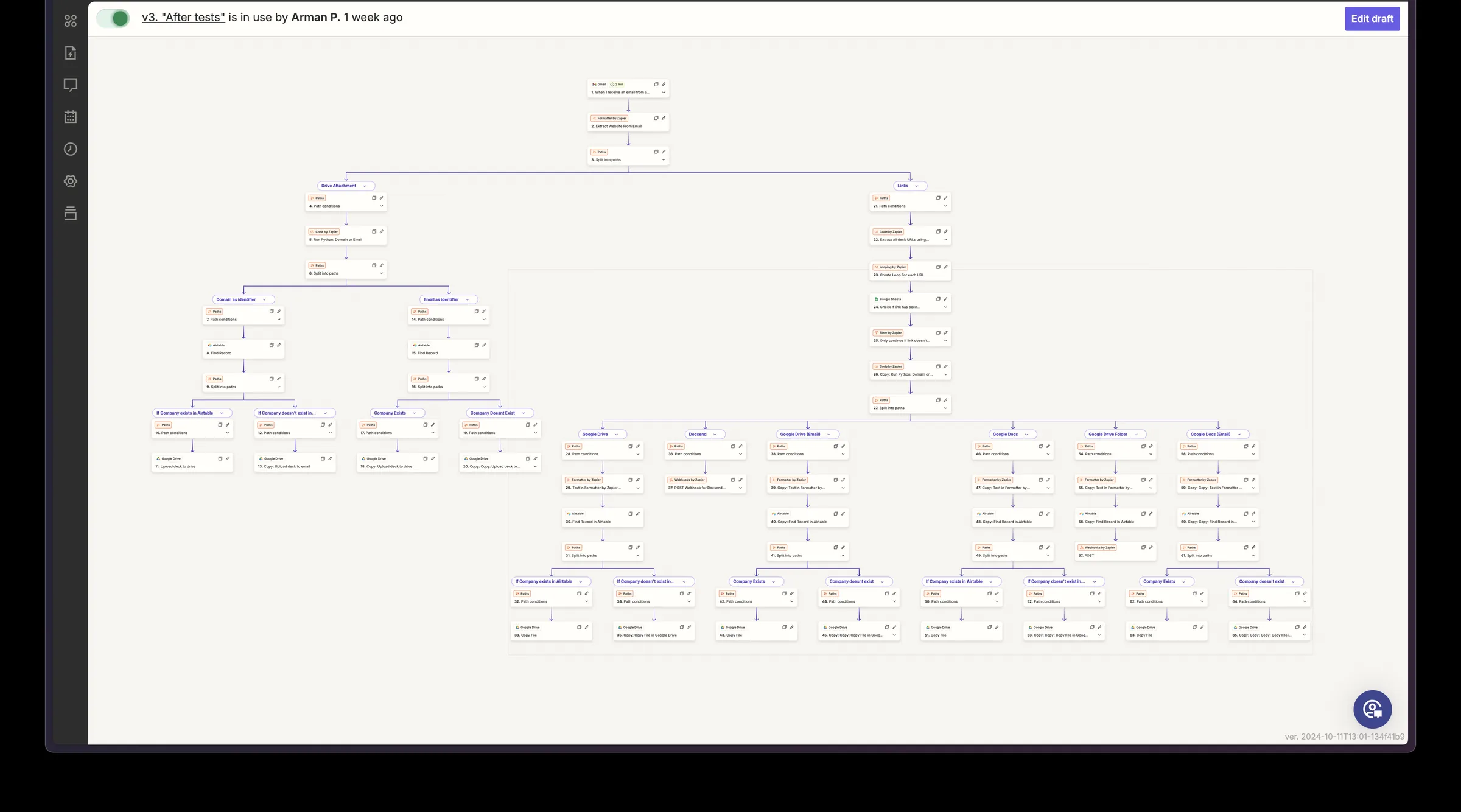
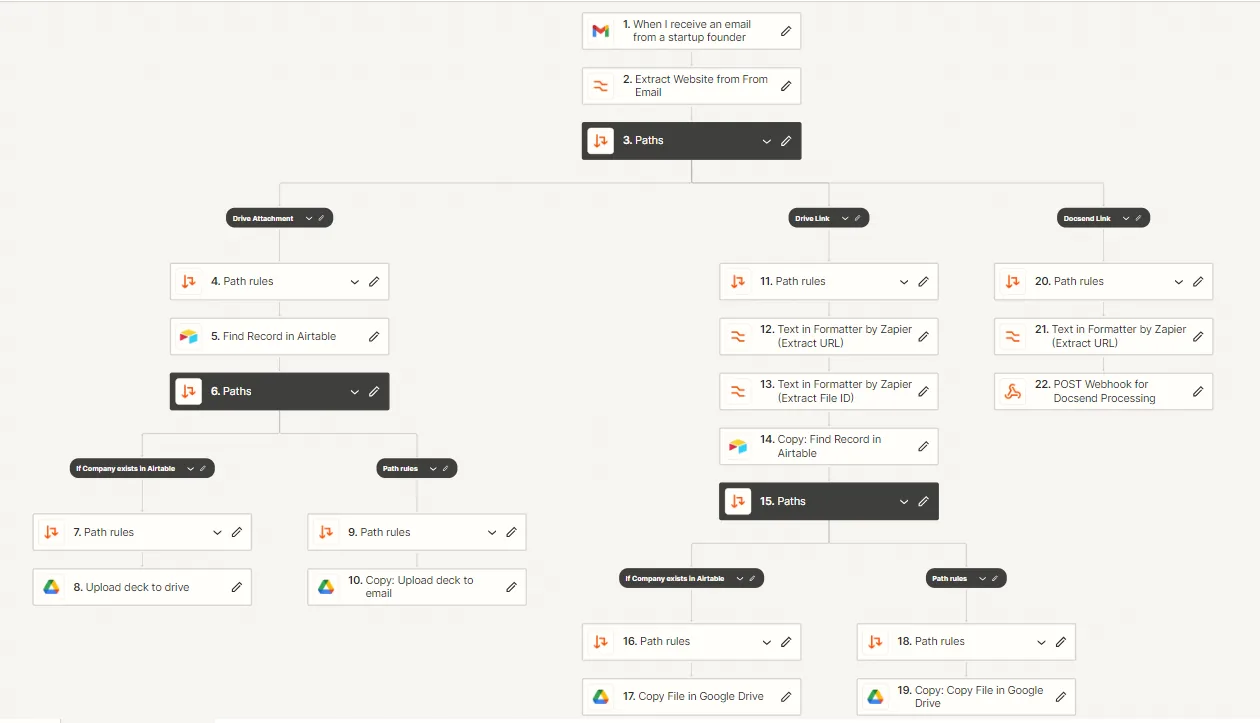
Pitch deck intake
- ✓Attachments, deck links and DocSend all handled
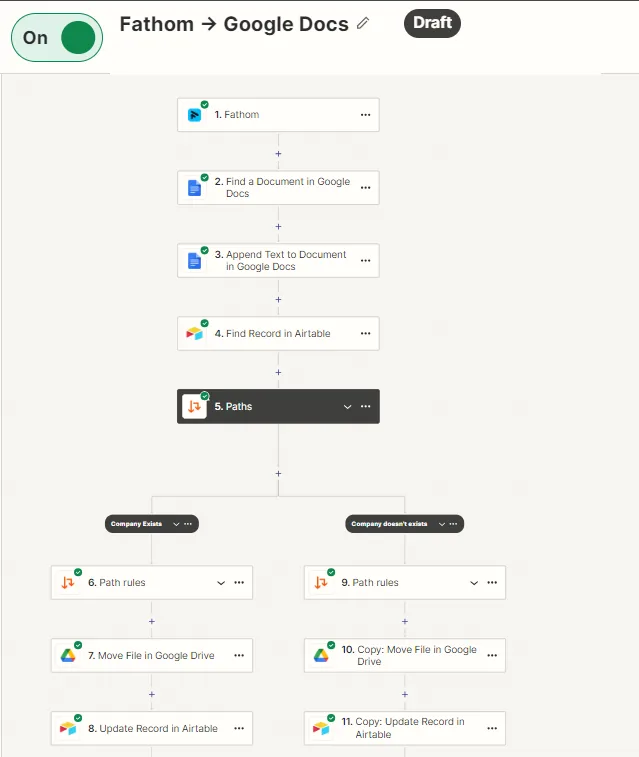
- ✓New and existing companies follow separate paths
- ✓No deck is lost in the shared inbox
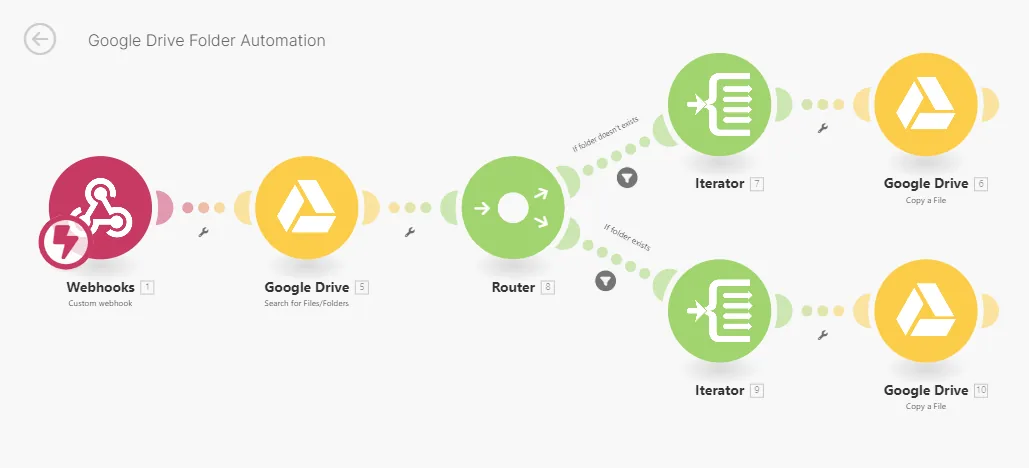
Google Drive organization
- ✓A folder per company, created the moment it is added to the CRM
- ✓Files copied into the right folder with a consistent name
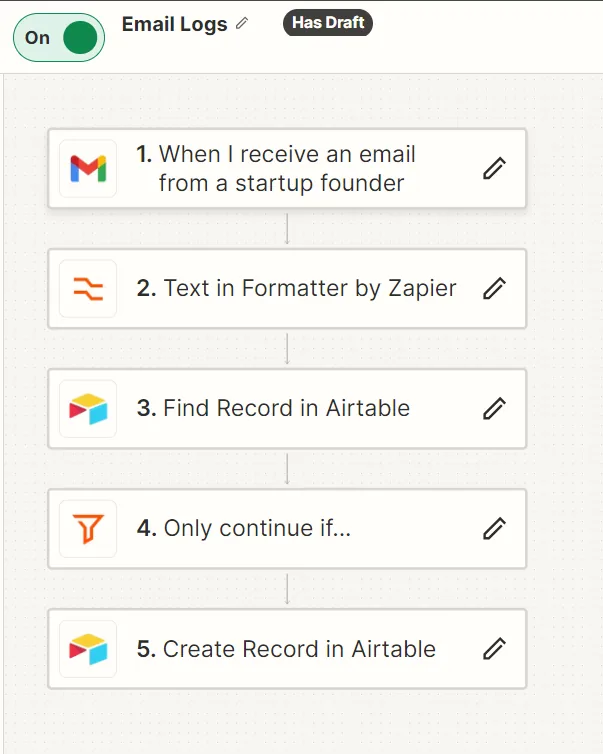
CRM logging
- ✓Founder emails and calendar meetings logged against the company
- ✓Fathom meeting notes saved to Google Docs and linked in Airtable
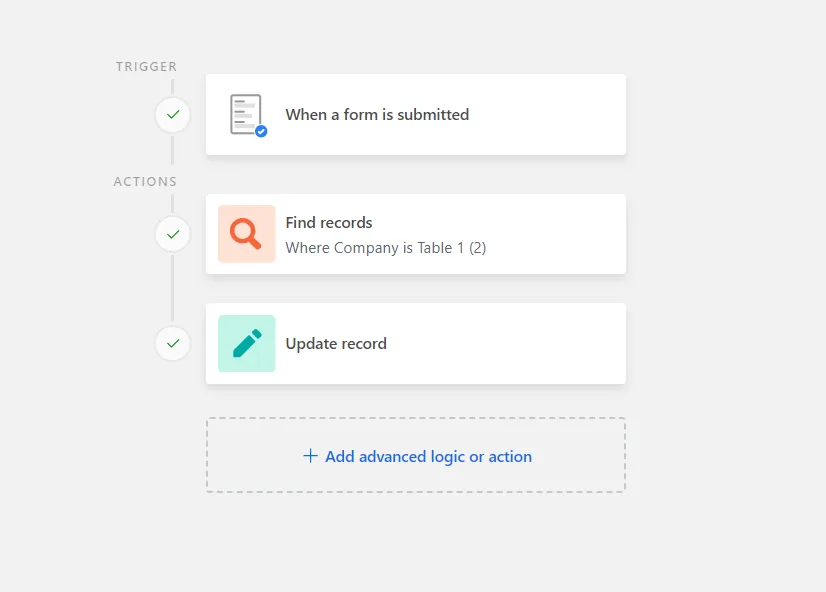
- ✓Form submissions mapped to the right company record
FAQ
Which file formats are handled?+
PDF, PowerPoint and Keynote attachments, deck links and DocSend links.
Which CRM does the firm use?+
Airtable, with Google Drive for files and Fathom for meeting notes.
What gets logged for each startup?+
The deck, founder emails, calendar meetings and meeting notes, all linked to the company record.