PayPal Customer Provisioning & Entitlement Management: Deliver Only After Payment
When PayPal confirms a payment, the buyer is matched to what they bought and the software files and access details are emailed to them automatically. Nothing is sent before the money arrives.
- ×Every sale checked in PayPal by hand
- ×Product files found in Drive and emailed manually
- ×Buyers waited hours for access
- ×No reliable record of who received what
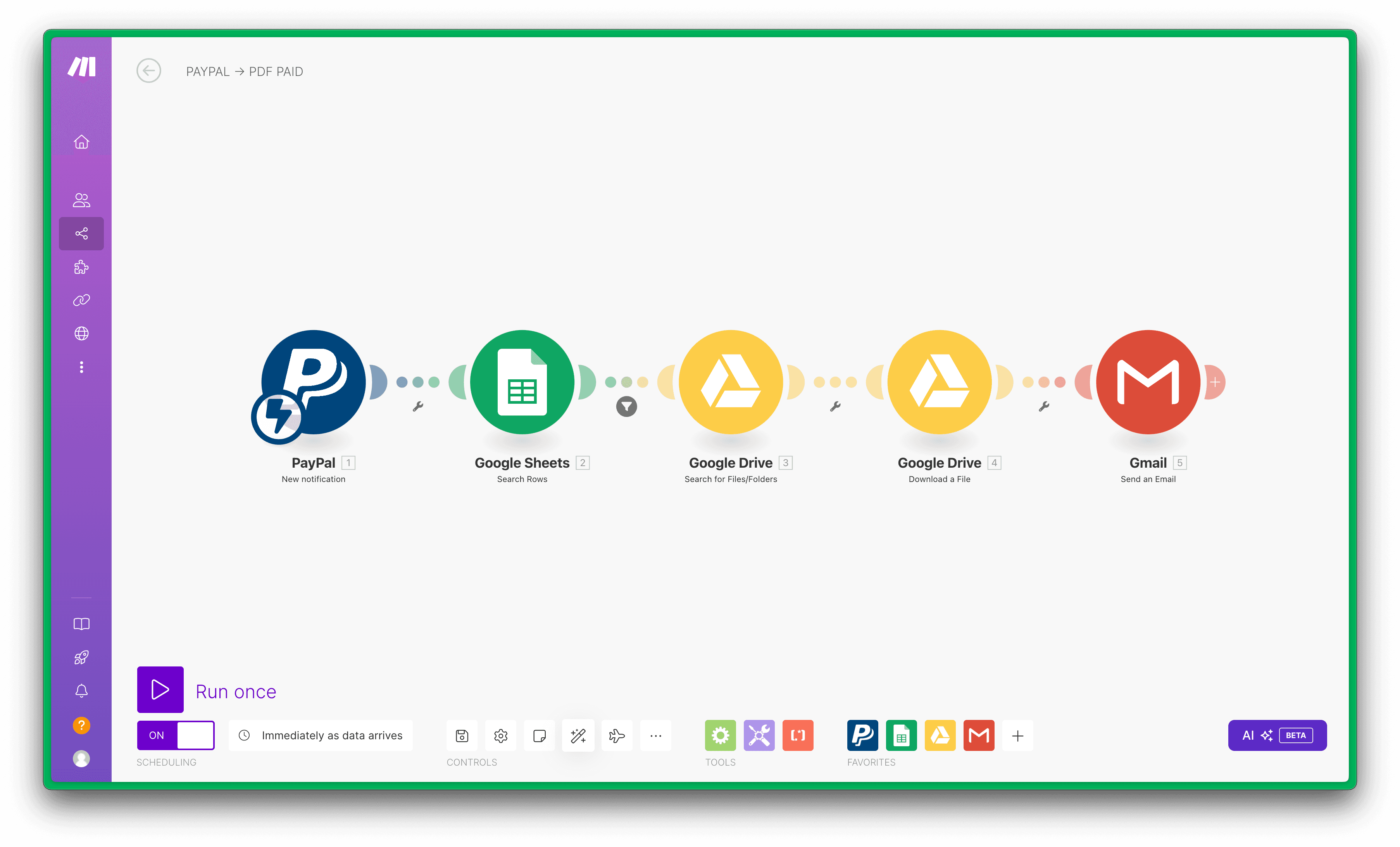
- ✓A PayPal payment notification starts the workflow
- ✓Product and buyer matched in Google Sheets
- ✓Files fetched from Drive and emailed through Gmail
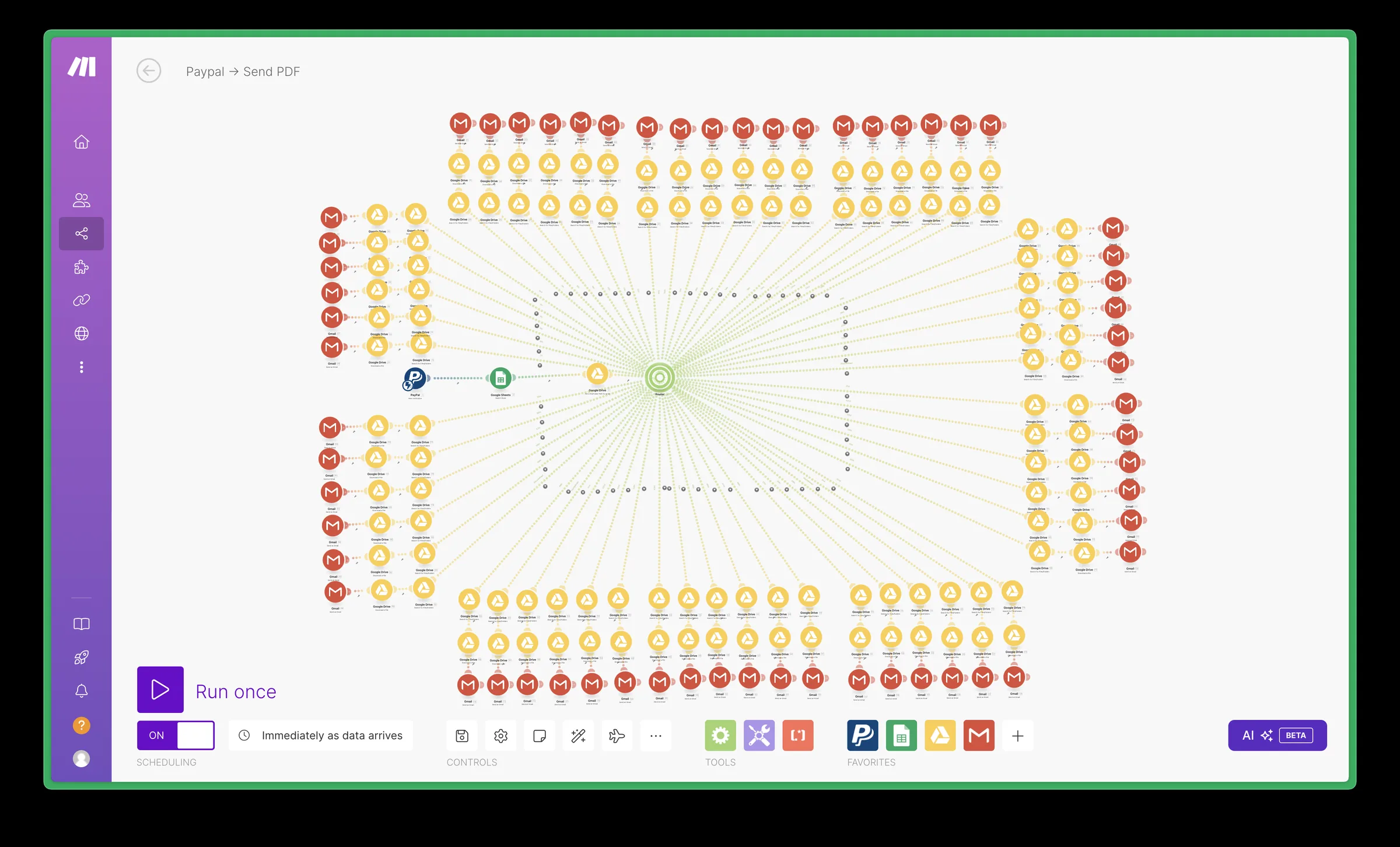
- ✓Rebuilt from a branch per product to five modules: a new product is a new row
Stack
How It Works
Payment notification
PayPal notifies the workflow the moment a payment completes.
Match the purchase
Google Sheets is searched for the product and buyer, which tells the workflow what this payment entitles them to.
Fetch the deliverables
The matching Drive folder is found and the files are downloaded.
Deliver to the buyer
Gmail sends the files and access details to the buyer, and the delivery is recorded against the order.
Results
delivery after payment
modules, down from hundreds
nothing sent before payment
The Workflow
FAQ
What does the buyer receive?+
The files and access details for the product they bought, emailed through Gmail as soon as PayPal confirms the payment.
How are new products added?+
As a new row in the product sheet. The rebuilt scenario has five modules, so a new product no longer means a new branch.
What was optimized?+
The original scenario had a separate branch for every product, hundreds of modules in total. It was rebuilt as five modules driven by the product sheet.